The pull requests feed
The Pull Requests tab in Maintainers lists the pull requests across your repositories in one place, so you can see what's open, merged or closed without visiting each repository. It's a read-only view: you review and merge on GitHub, as usual.
Open the feed
- Switch to MAINTAINER in the header and open Maintainers.
- Choose the Pull Requests tab.
The feed covers the repositories ticked in Select repositories. For each one, it shows the 50 most recently updated pull requests, newest activity first.
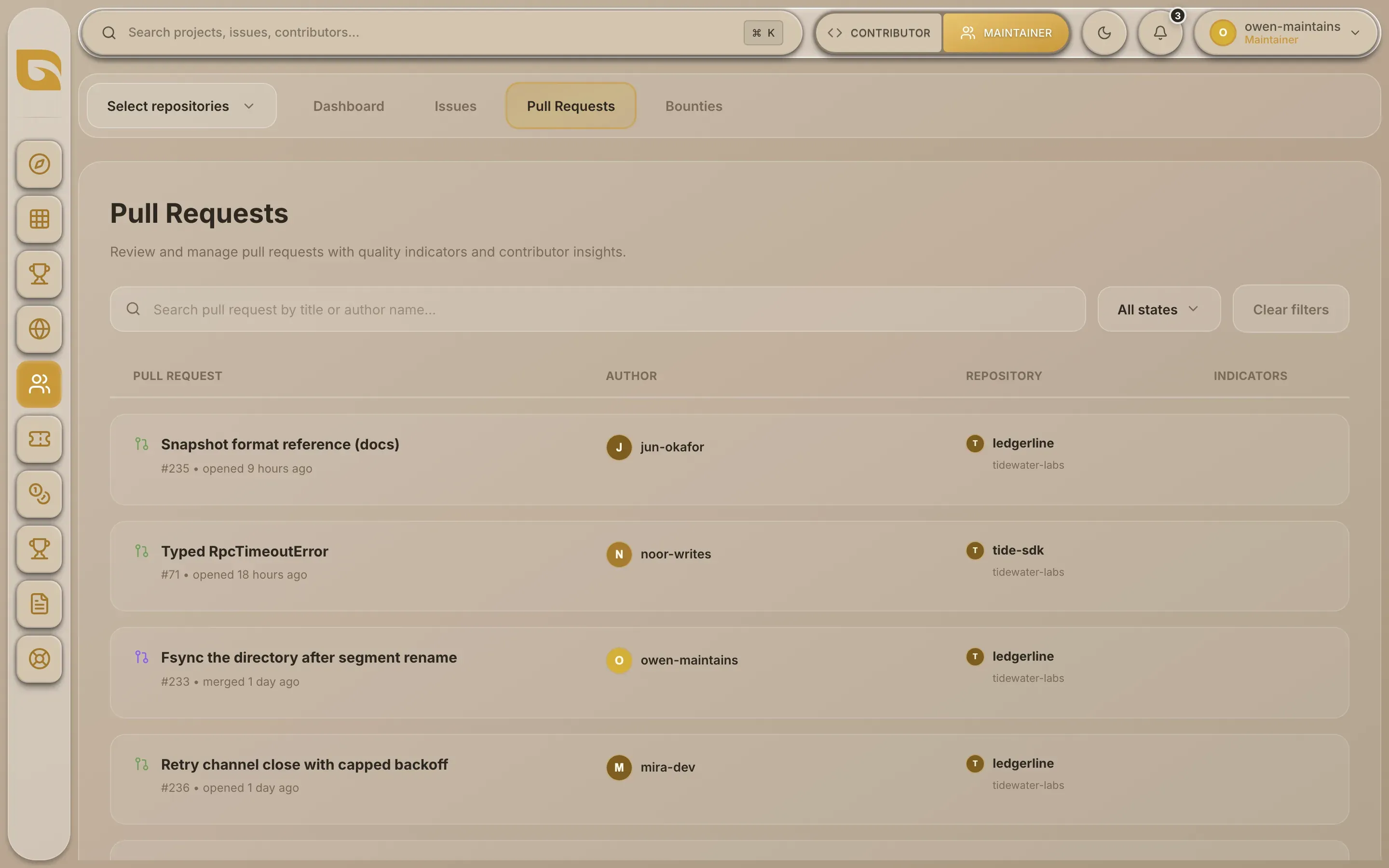
What each row shows
| Column | What it shows |
|---|---|
| Pull Request | The title, the number and what last happened, for example "merged 2 days ago" or "opened 3 hours ago". |
| Author | Who opened it. |
| Repository | Which of your repositories it's in. |
Filter and search
-
Search by title or author. Type in Search pull request by title or author name....
-
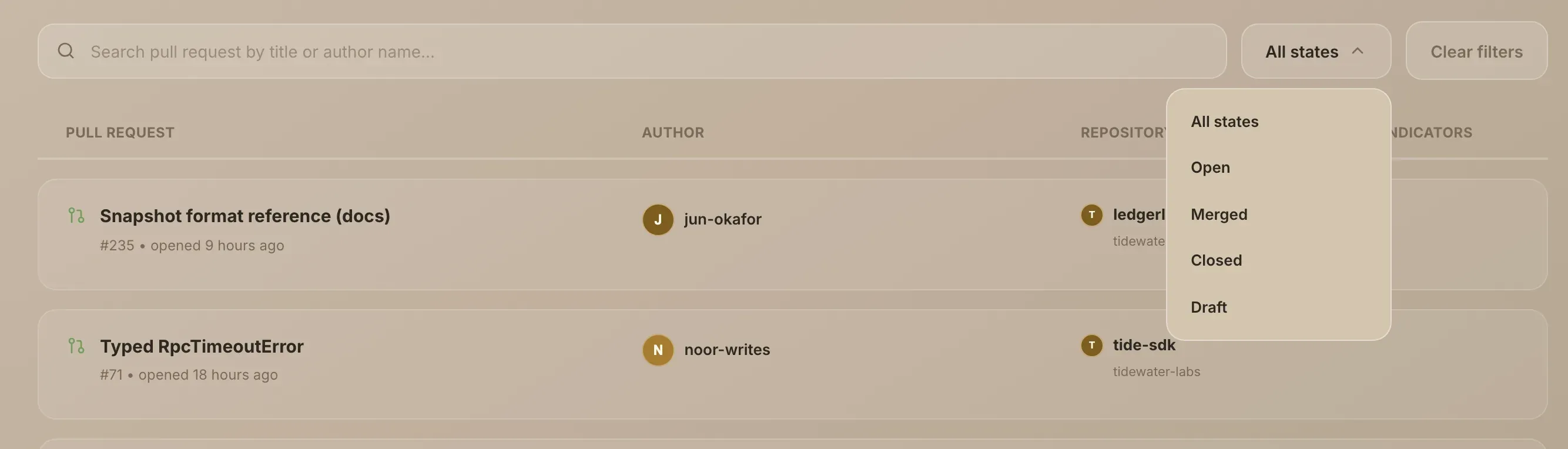
Filter by state. Open the state menu, which starts on All states, and choose Open, Merged or Closed. Closed means closed without being merged.
-
Start again. Clear filters empties the search and goes back to All states.
The Draft option doesn't match any pull requests at the moment, because Grainlify doesn't yet read whether a pull request is a draft. Draft pull requests appear under Open.
Open a pull request on GitHub
Choose any row. The pull request opens on GitHub in a new tab, where you review, request changes and merge.
When a contributor you assigned opens a pull request that links the issue, it shows up here once GitHub tells Grainlify about it. Merging it on GitHub is what counts: merged pull requests on listed projects count towards the contributor's rank and the leaderboard.
If a repository is missing
If a repository can't be read, the feed says Couldn't load pull requests from and names it. If you haven't added any repositories yet, it says Select repositories to view pull requests. See Keep projects in sync if a repository keeps failing.