Track your contributions
The Contributors tab is your own record of work on Grainlify: the issues you've applied for, how far each has got, and the projects you've worked on. Open it from Contributors in the rail. It has three sub-tabs: Contributions, Projects and Rewards.
Only you see this tab. What other people see is your public profile.
Contributions
Contributions is a board with a column for each stage an issue goes through. On a phone, the columns are stacked as sections.
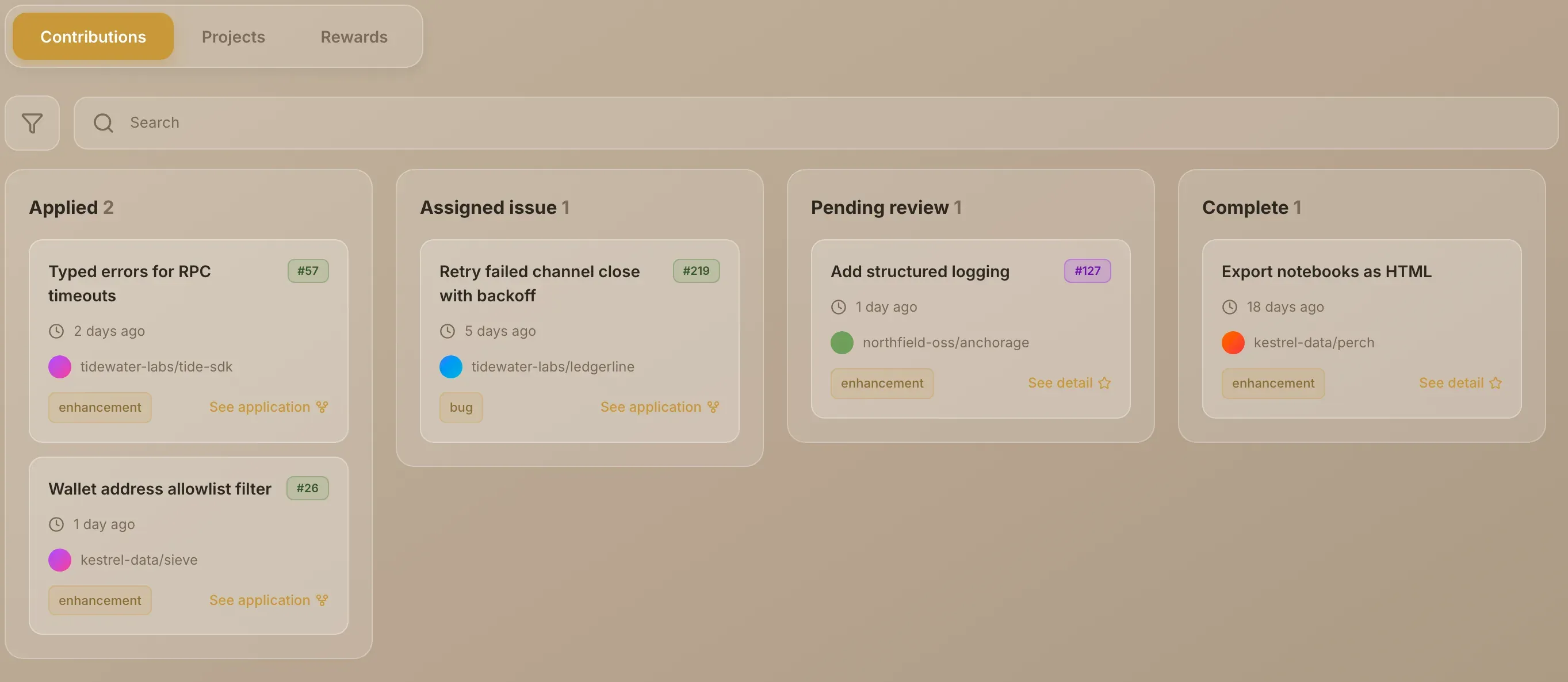
| Column | An issue is here when | Its link opens |
|---|---|---|
| Applied | You've applied and the maintainer hasn't decided | See application: the issue on GitHub |
| Assigned issue | You're assigned, and Grainlify hasn't matched a pull request of yours to it yet | See application: the issue on GitHub |
| Pending review | You're assigned and you've opened a pull request that links the issue | See detail: your pull request on GitHub |
| Complete | That pull request has been merged | See detail: your pull request on GitHub |
Each card shows the issue's title, the project, the issue's first label, and when it reached that stage: when you applied, when you were assigned, when you opened the pull request, or when it was merged. The count beside each column heading is how many issues are in it. An empty column says No applications yet.
An issue only moves to Pending review when your pull request's description links it with a closing keyword, such as Fixes #12. Open your PR and get it merged explains exactly what's recognised.
What isn't on the board
- Applications that weren't accepted. They leave the board. The notification you received still links to the issue.
- Applications you withdrew. They leave the board too.
- Pull requests with no application behind them. The board follows your applications. Merged pull requests still count towards your rank either way.
- GrainHack issues. Those live under My GrainHack in the rail.
If you're unassigned from an issue, it goes back to Applied. After you apply covers each outcome.
Projects
Projects lists projects on Grainlify where you've opened an issue or a pull request, in alphabetical order, up to ten.
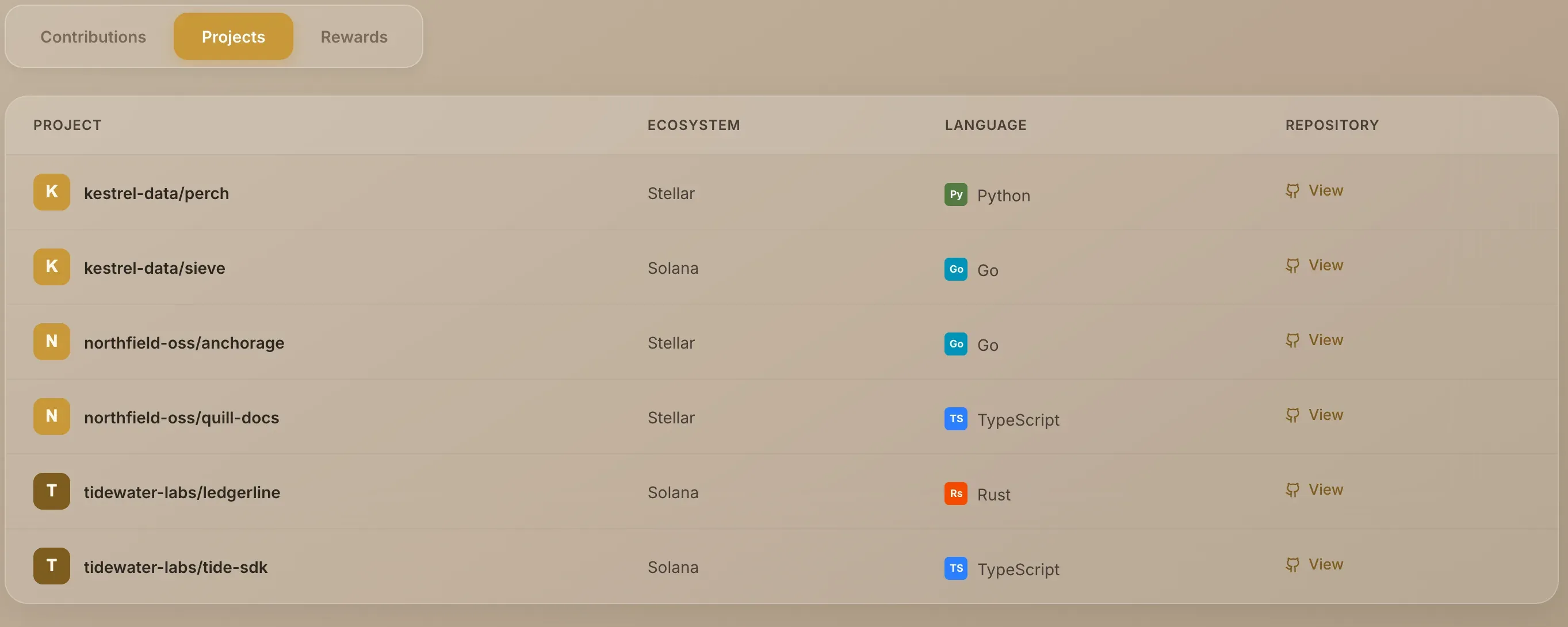
Each row shows the project, its ecosystem and its main language. View opens the repository on GitHub. Applying for an issue doesn't add a project here, because an application is a comment rather than an issue or pull request.
If you haven't opened an issue or pull request on a listed project yet, the tab says No projects yet.
Rewards
Rewards is a record from the points programme, which has been retired. It lists any requests you made to redeem points, with the date, the points spent, the amount, the wallet and the status of each. If you never made one, the tab is empty.
Nothing new is added here. For what replaced the points programme, see What changed.
If a tab doesn't load
Each sub-tab says when it couldn't load, rather than showing you an empty list. On Contributions, choose Try again. On the other two, reload the page.