Your assignment
When you win a draw, the issue is assigned to you and Grainlify sends you a notification. This page covers what to do next: the timer on every assignment, what stops it, and how to give an issue back if you can't finish it.
See your assignments
Open My GrainHack in the rail. My assignments is the first tab.
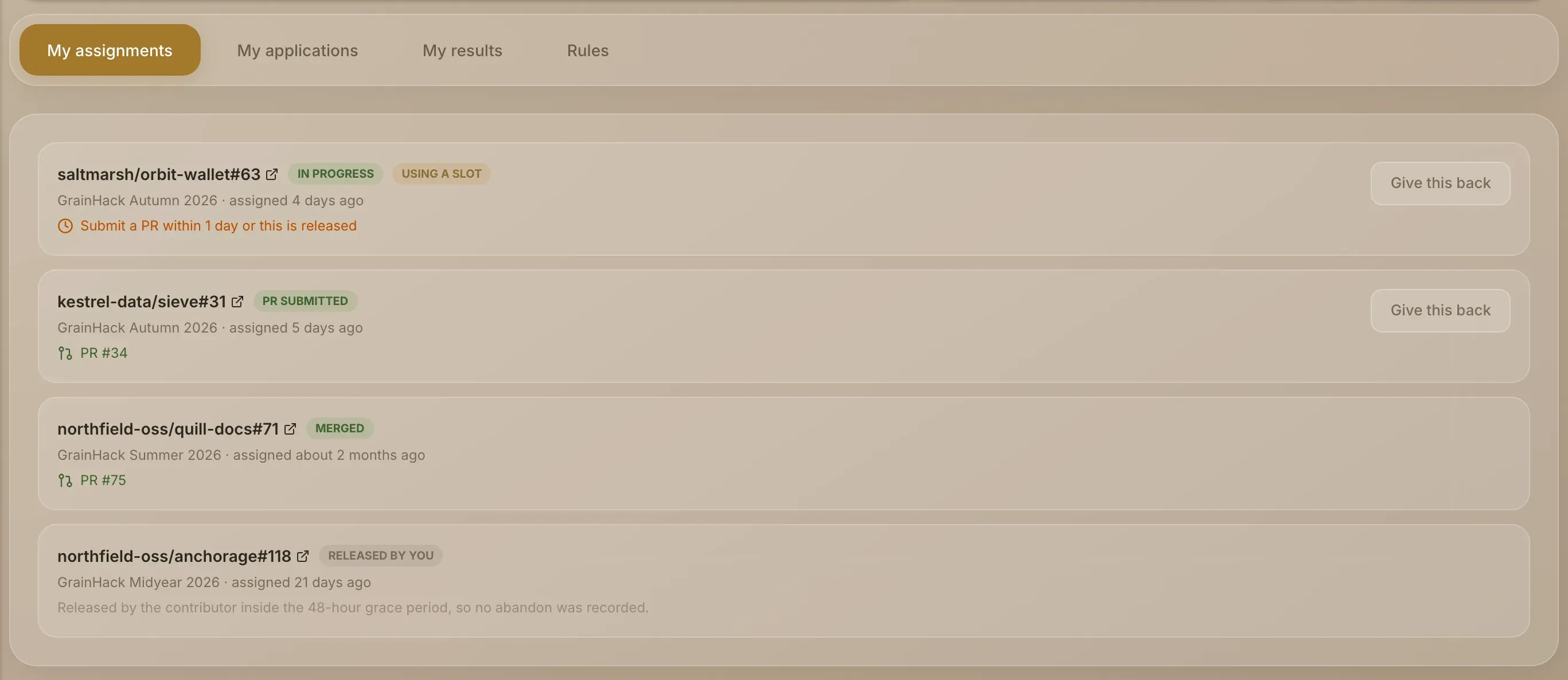
Each assignment shows the issue, its status, the event, when you were assigned, and while it's open, Using a slot if it's taking one of your slots.
| Status | What it means |
|---|---|
| In progress | It's yours, and the timer is running. |
| PR submitted | Your qualifying pull request is in. The timer has stopped, and the row links to the pull request. |
| Merged | Your pull request was merged. It will be graded against the acceptance criteria. |
| Released - timed out | No qualifying pull request arrived before the deadline. |
| Released by you | You gave it back. |
| Released - event ended | The event closed while it was still open. |
A released assignment says why, and adds "(counted as an abandon)" when it was one.
The timer
While an assignment is in progress, its row says "Submit a PR within" a time "or this is released". If the time runs out with no qualifying pull request, the issue is released, it goes back to the pool for someone else, your slot frees, and it counts as an abandon. You're notified when that happens.
A qualifying pull request stops the timer. The event's rules decide what qualifies, under Slot-freeing definition in My GrainHack → Rules: whether a draft counts, whether CI must pass, whether the pull request must link the issue, and a minimum amount of meaningful change, not counting generated files, lock files or formatting. To link the issue, put Closes #N in the pull request's description, where N is the issue number.
Give an issue back
If you can't finish an issue, give it back rather than letting the timer run out.
-
Choose Give this back on the assignment.
-
Confirm. The dialog, Give this assignment back?, explains what happens. Choose Give it back, or Keep it to change your mind.
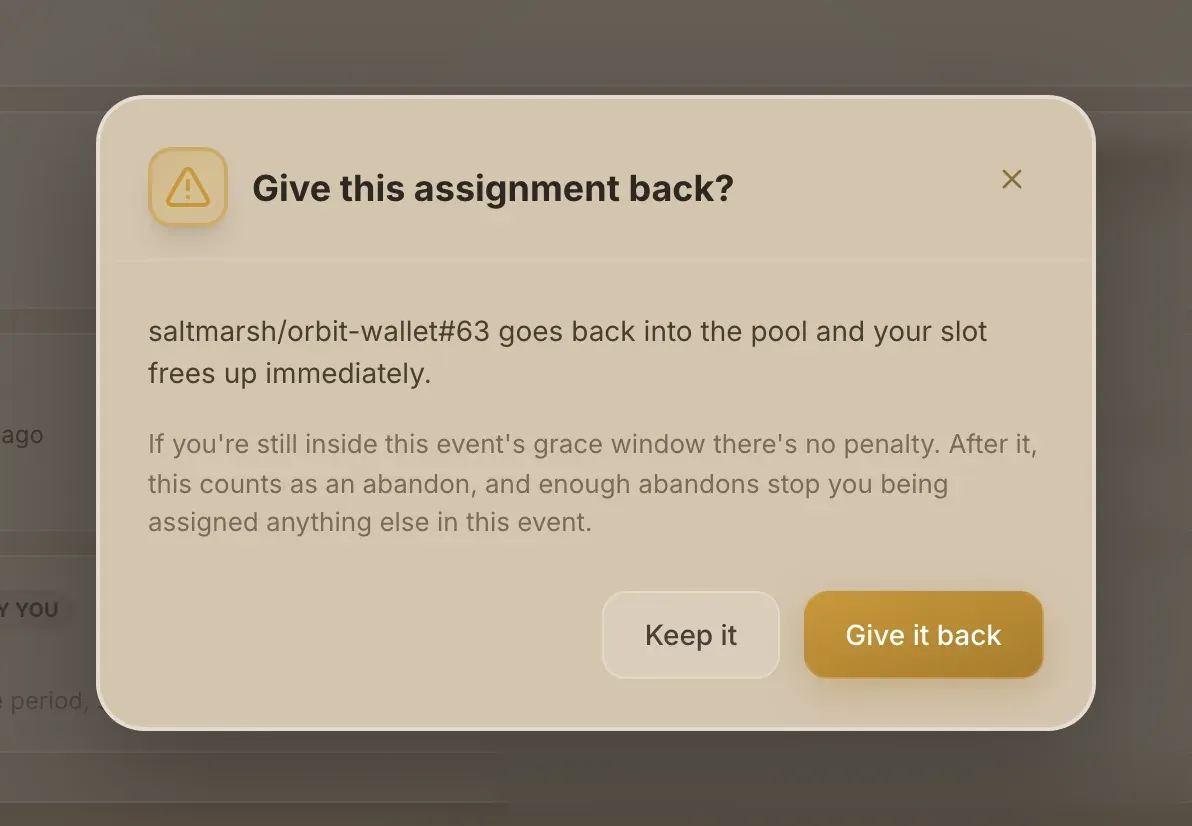
The issue goes back into the pool and your slot frees immediately. Inside the event's grace window after you were assigned, there's no penalty. After it, giving an issue back counts as an abandon. The message you see afterwards says which it was.
Abandons cost you. Each one lowers your tickets in later draws in the event, and enough of them stop you being assigned anything else in it. The grace window, the timer length and the abandon limit are Voluntary Release Grace Hours, Stale Assignment Days and Abandons Before Lockout in the Rules tab.
When the event ends
You're warned before an event ends if you still hold an issue. When it closes, open assignments are released. A pull request merged within the event's merge grace period after the end still counts, so a slow review doesn't cost you. The grace period is Merge Grace Period Hours in the Rules tab.
Next: Results, grading and appeals.