Maintainer quick start
Listing your project on Grainlify puts its issues in front of people looking for work, and gives you one place to decide who does it. This page takes you from nothing to your first assigned issue. Each step links to a page with the detail.
Video: Maintainer quick start
Before you start
- A Grainlify account, signed in with GitHub. See Create your account.
- A public repository you can install GitHub apps on.
Your maintainer tools live in the same account as your contributor ones. You switch between them with CONTRIBUTOR and MAINTAINER in the header. See Contributor, maintainer and admin views.

From install to first assignment
-
Switch to MAINTAINER. This opens Maintainers, with the Dashboard, Issues, Pull Requests and Bounties tabs.
-
Install the GitHub App. Choose Select repositories, then Add a repository, then Install GitHub App. On GitHub, pick the repositories you want on Grainlify. Add your repositories
-
Come back and switch to MAINTAINER again. GitHub returns you to Discover. Switch to MAINTAINER and the New Project Setup window opens for your new repository.
-
Finish setup. Add a description and choose an ecosystem, then Save & Continue. Your project is now listed for contributors. Finish project setup
-
Tell people. Optionally, if your account has the button for it, post a comment on an issue as the Grainlify app to say it's open for applications. Post a Grainlify bot message
-
Wait for applications. You get a notification when someone applies. The Dashboard shows what's changed in the last seven days. Your maintainer dashboard
-
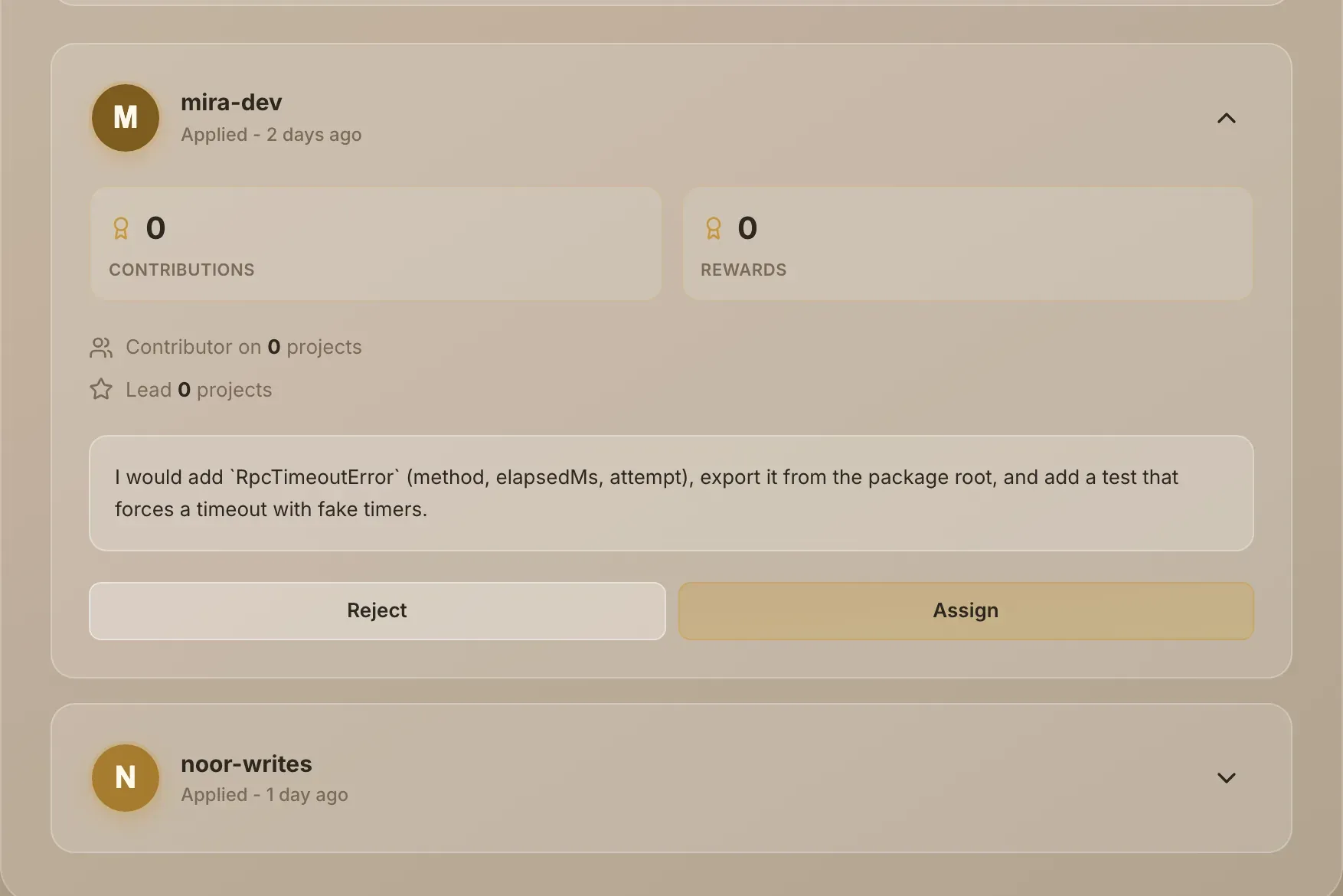
Assign someone. In Issues, open the issue, expand an application, and choose Assign. Grainlify assigns them on GitHub and lets them know. Review applications
-
Review the pull request on GitHub. Follow it from the Pull Requests tab and merge it on GitHub as usual. The pull requests feed
After that
- Keep projects in sync: how updates reach Grainlify, and how to remove a repository.
- Your organization page: your public page, links and reviews.
- Bounties on your repositories: what the bounty agent does if bounties are on for your repository, and what the Bounties tab shows.
- GrainHack for maintainers: putting issues into an event.