Your organization page
Every GitHub account or organisation with projects on Grainlify has a public organization page. It shows your repositories, their activity, your community links and what contributors say about working with you. You can edit the links; the reviews come from contributors.
Find your page
Go to Browse, switch to Organizations, and choose your organisation.
The page shows:
- your organisation's picture and how many repositories it has on Grainlify;
- your community links, starting with GitHub;
- Repositories, Stars, Contributors and Merged PRs across your listed repositories, and your organisation's rank;
- a contribution calendar;
- your listed repositories, one click away;
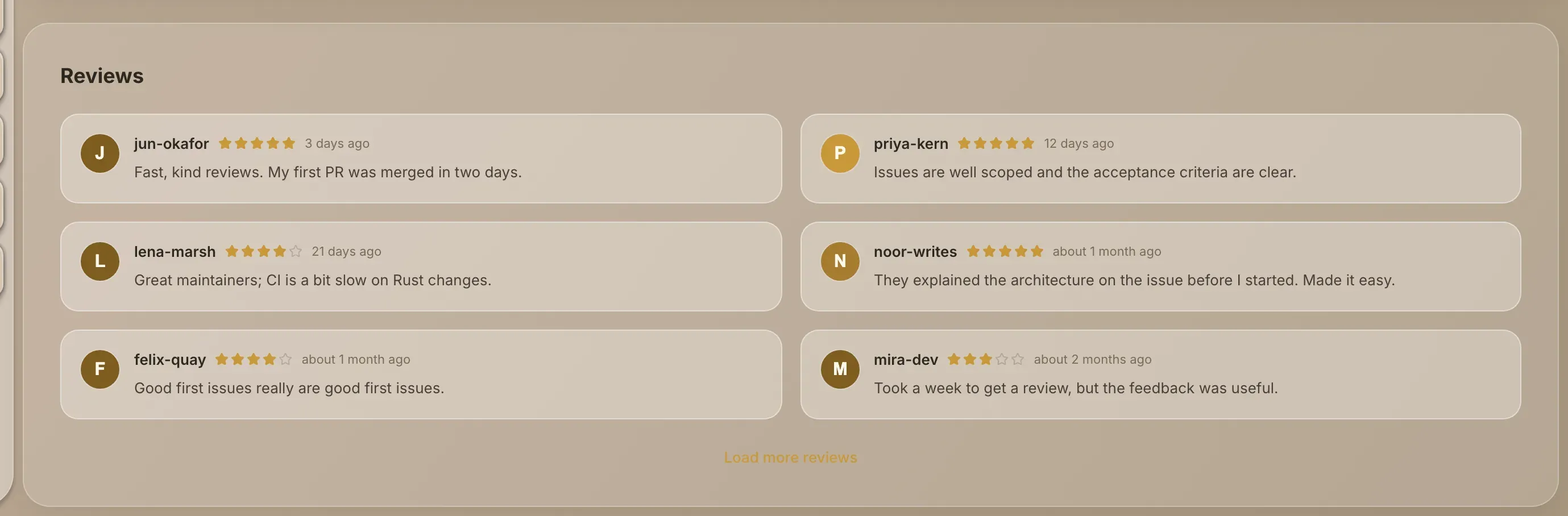
- Reviews from contributors, with the average rating.
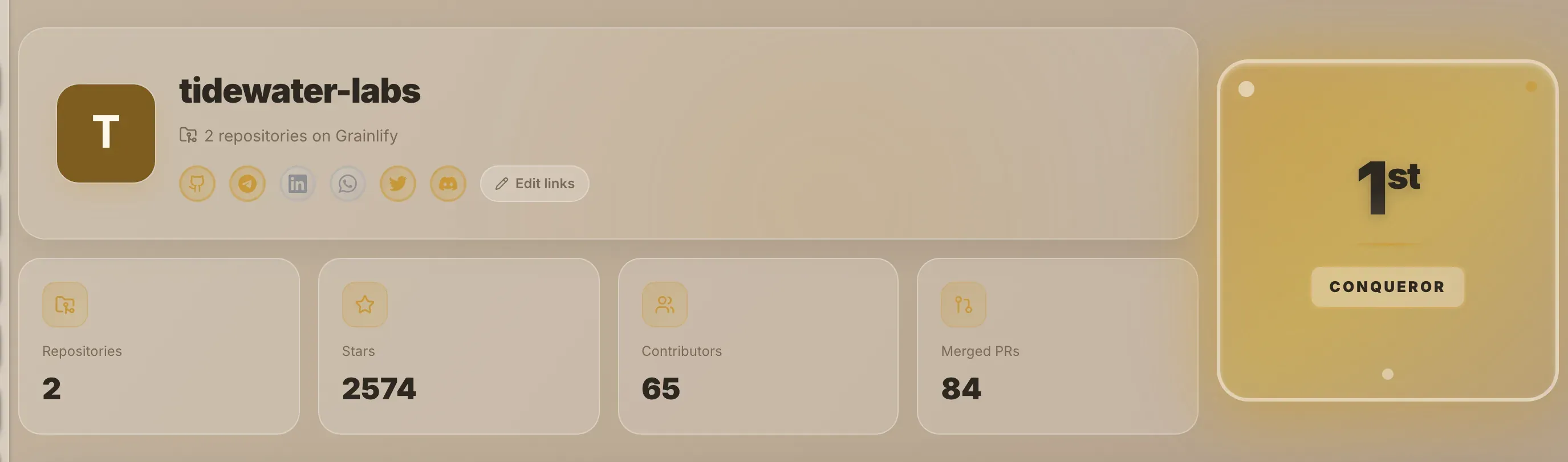
Edit your community links
Edit links shows only to people who own at least one project under that organisation on Grainlify. Anyone else sees the links without the button.
-
Choose Edit links under your organisation's name.
-
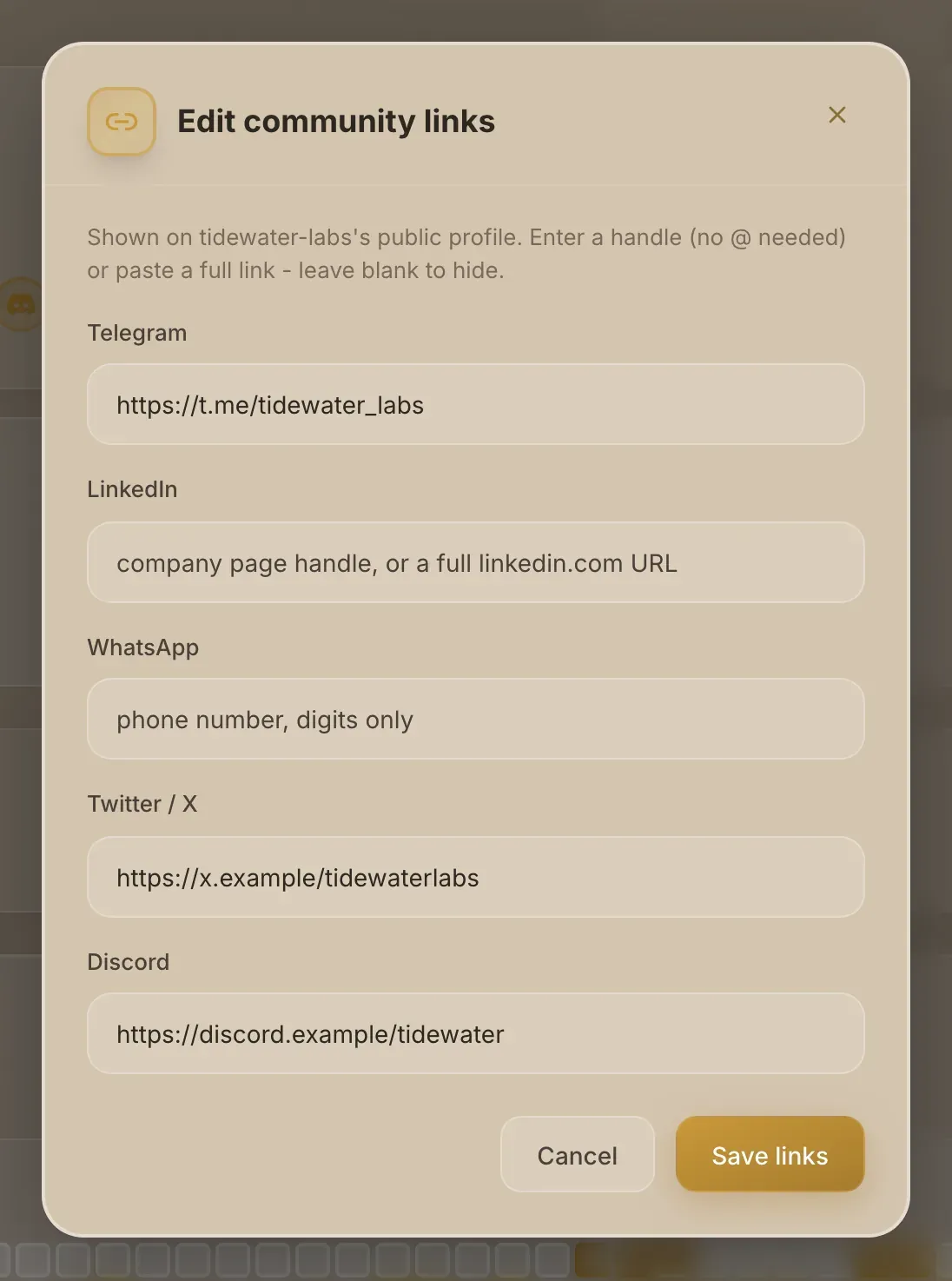
Fill in the ones you want. The Edit community links window has Telegram, LinkedIn, WhatsApp, Twitter / X and Discord. Enter a handle without the @, or paste a full link. For WhatsApp, enter a phone number, digits only. Leave a box empty to hide that link.
-
Choose Save links. The page says Community links updated. and the icons update.
The GitHub link always points at your organisation on GitHub and can't be changed.
Reviews and ratings
Contributors rate an organisation from one to five stars, with an optional comment. They appear under Reviews, newest first, and the average and count appear near the top of the page.
| Who | Can they review your organisation? |
|---|---|
| Someone with a pull request merged into one of your repositories on Grainlify | Yes, once. They can edit their review later. |
| Someone with no merged pull request in your repositories | No. They see Get a pull request merged into your organisation's name to leave a review here. |
| You, or anyone who owns a project under your organisation | No. Owners can't review their own organisation. |
The best way to earn good reviews is the work itself: clear issues, quick decisions on applications, and prompt reviews of pull requests.