Link your Solana wallet
Bounties are paid in USDC on Solana, to the wallet linked to your GitHub account. You link it once by signing a message. Signing costs nothing and sends no transaction.
Video: Link your Solana wallet
Before you start
- A Grainlify account, signed in with GitHub.
- A Solana wallet: Phantom, Solflare or Backpack. A wallet app on your phone is enough.
Link from a computer
-
Open the wallet page. In Bounties, choose Link your wallet, or go straight to grainlify.com/bounties/link.
-
Choose your wallet. Wallets installed in this browser are listed under Found in this browser, marked Detected. Choose yours and approve the connection in the wallet.
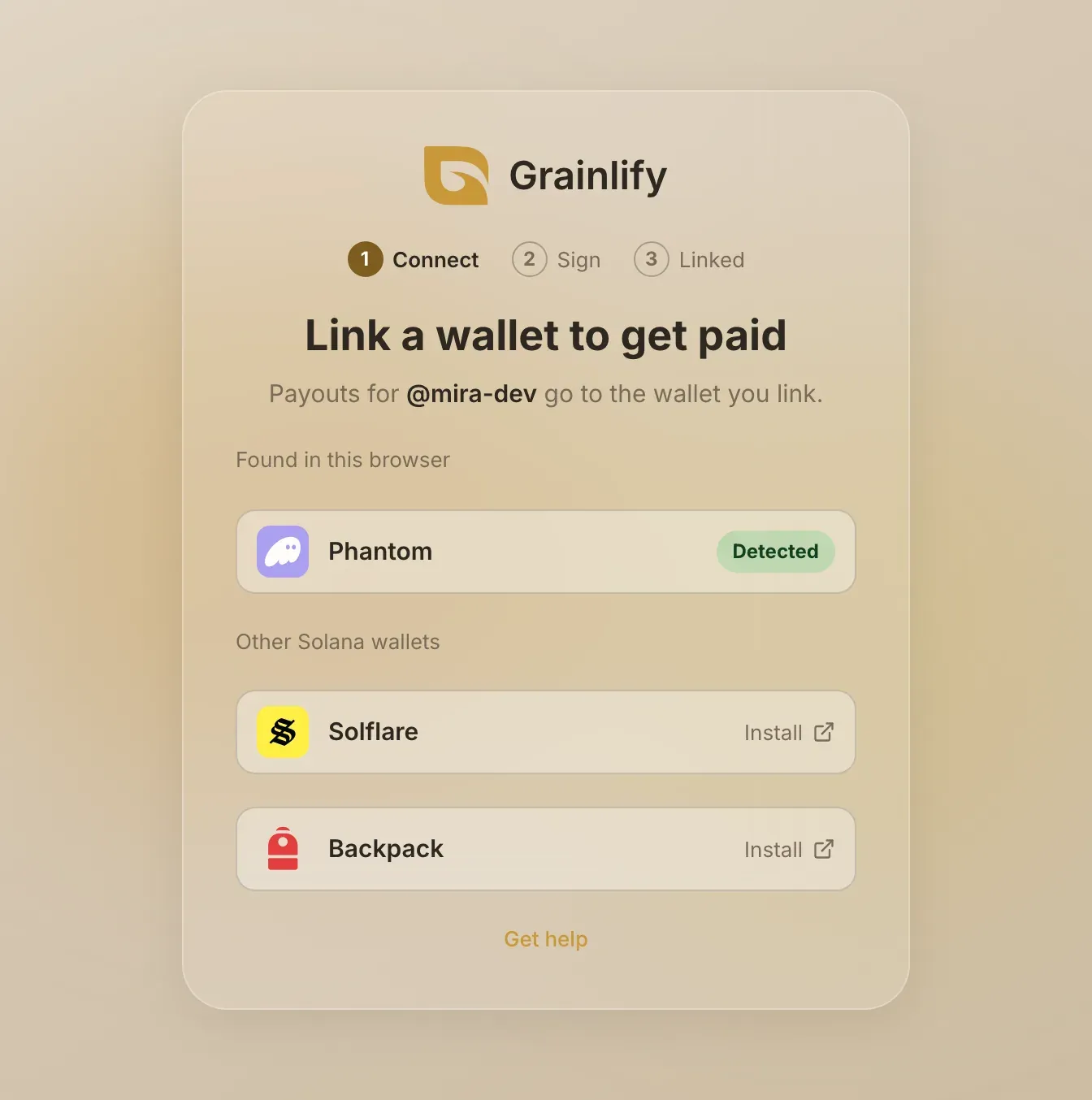
-
Check the message, then sign it. The page shows exactly what your wallet will ask you to sign: your GitHub login, the wallet address, a one-time code, and an expiry ten minutes away. If it matches, choose Sign message and approve it in your wallet.
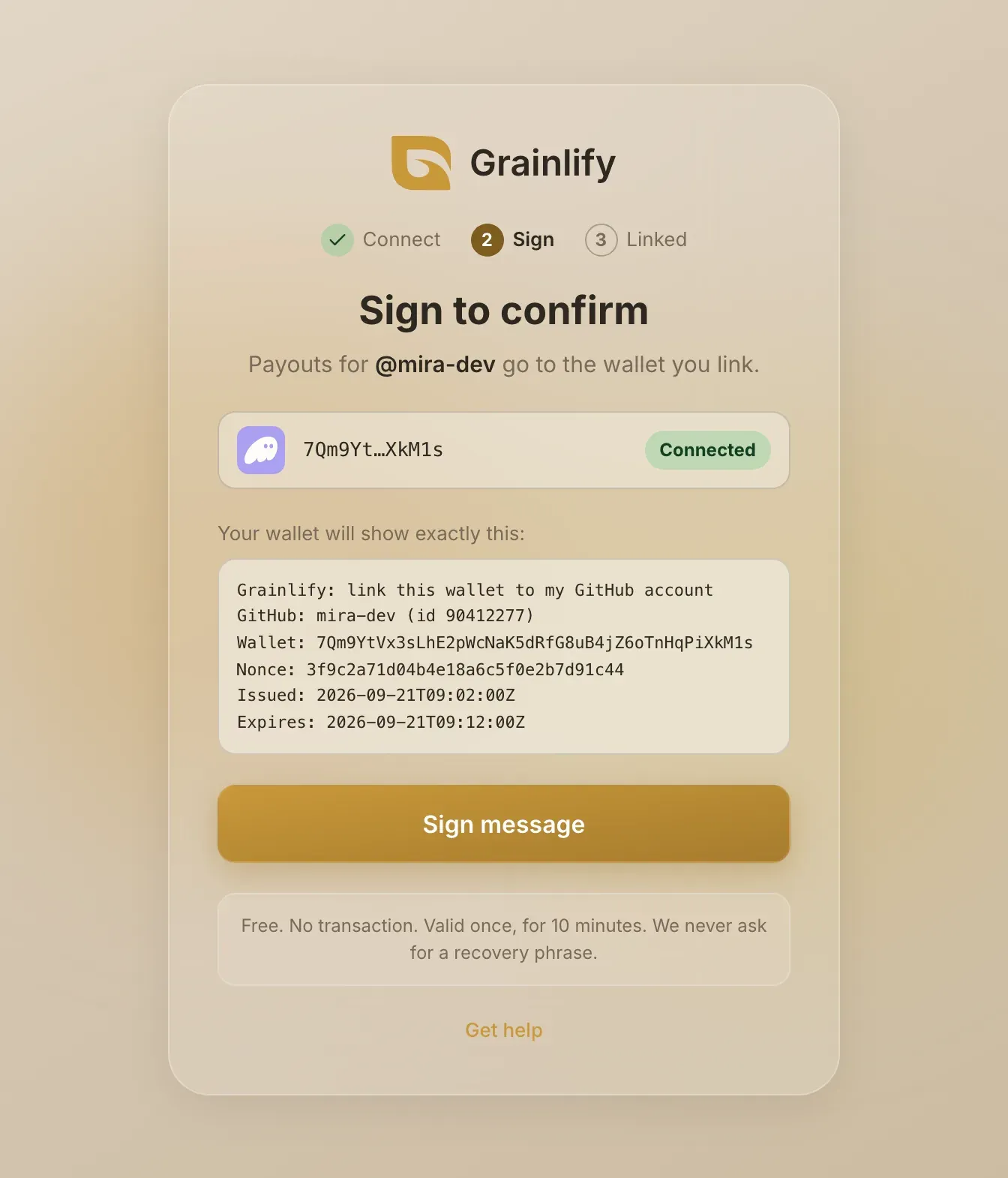
-
You're done. The page says Wallet linked and shows the full address. Bounties you win are paid there.
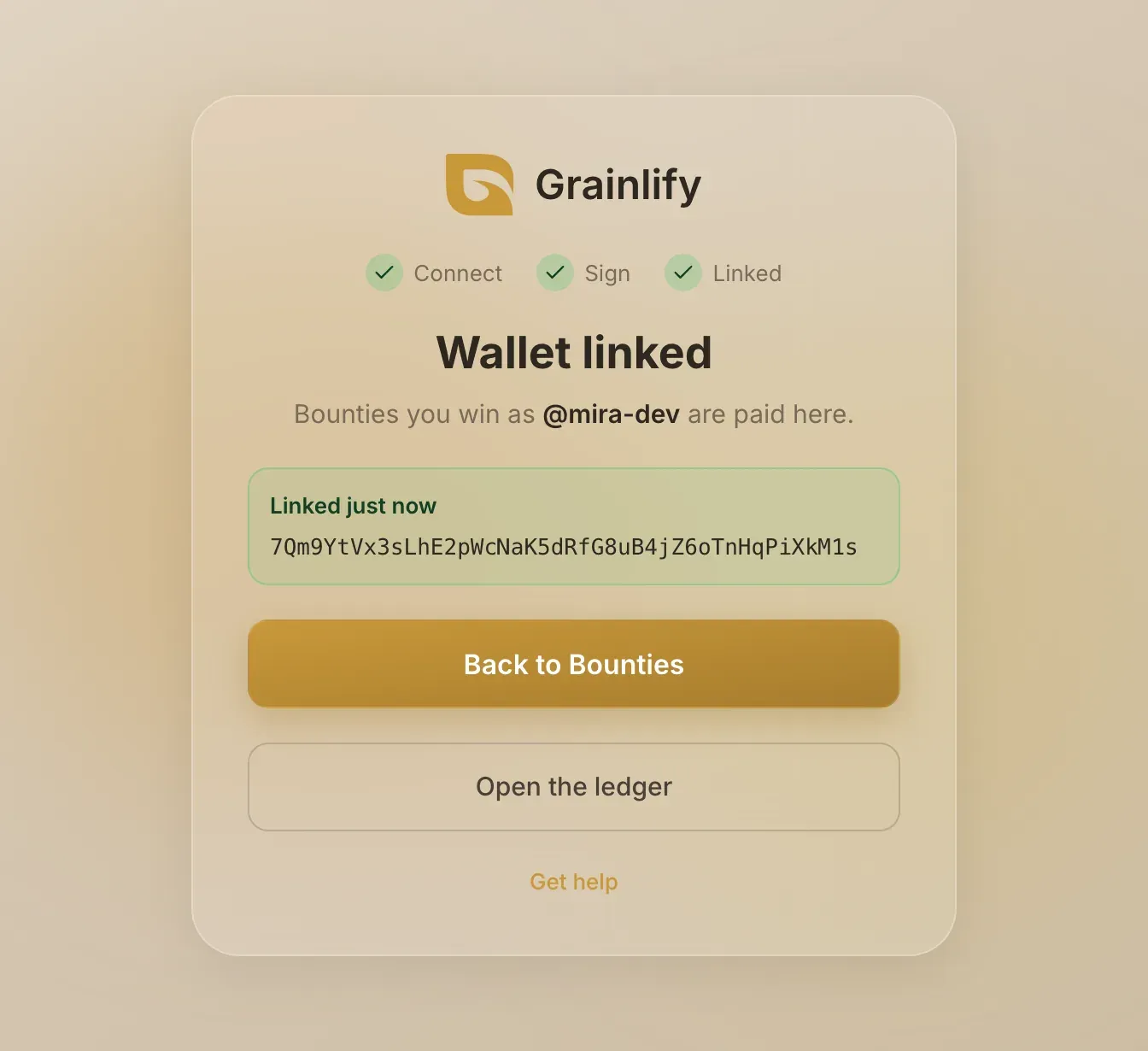
Signing is free. It is not a transaction and it cannot move funds. Grainlify never asks for your recovery phrase. If a page does, close it.
Link from a phone
A phone browser can't see your wallet app, so the page offers Open in Phantom and Open in Solflare instead. Each one reopens the page inside that wallet's own browser, where the steps above work the same way. On Android, Use a wallet app on this phone connects without leaving your browser.
Change your wallet
Link a different wallet the same way. It replaces the one on file for your GitHub account, and later payouts go to the new address.
If something goes wrong
"That wallet is already linked to another GitHub account." A wallet can belong to one GitHub account. Use a different wallet, or unlink it from the other account first.
- You declined the signature. Nothing was linked. Choose Sign message again when you're ready.
- "Your Grainlify account has no GitHub account attached." Bounties are paid by GitHub account. Sign in with GitHub and try again.
- Still stuck? Get help and tell us which wallet you used.