GrainHack for maintainers
A GrainHack is a time-boxed event with a prize pool. If your project is taking part, you choose which of your issues go into it and describe each one well enough to judge the work. A draw decides who works on each issue, not you. For how events run from the contributor's side, read What GrainHack is.
Before you start
Grainlify decides which projects take part in each event. Labelling an issue only pulls it in when your project is part of an event that's getting its issues ready or is already live. If you're not sure whether yours is, ask us.
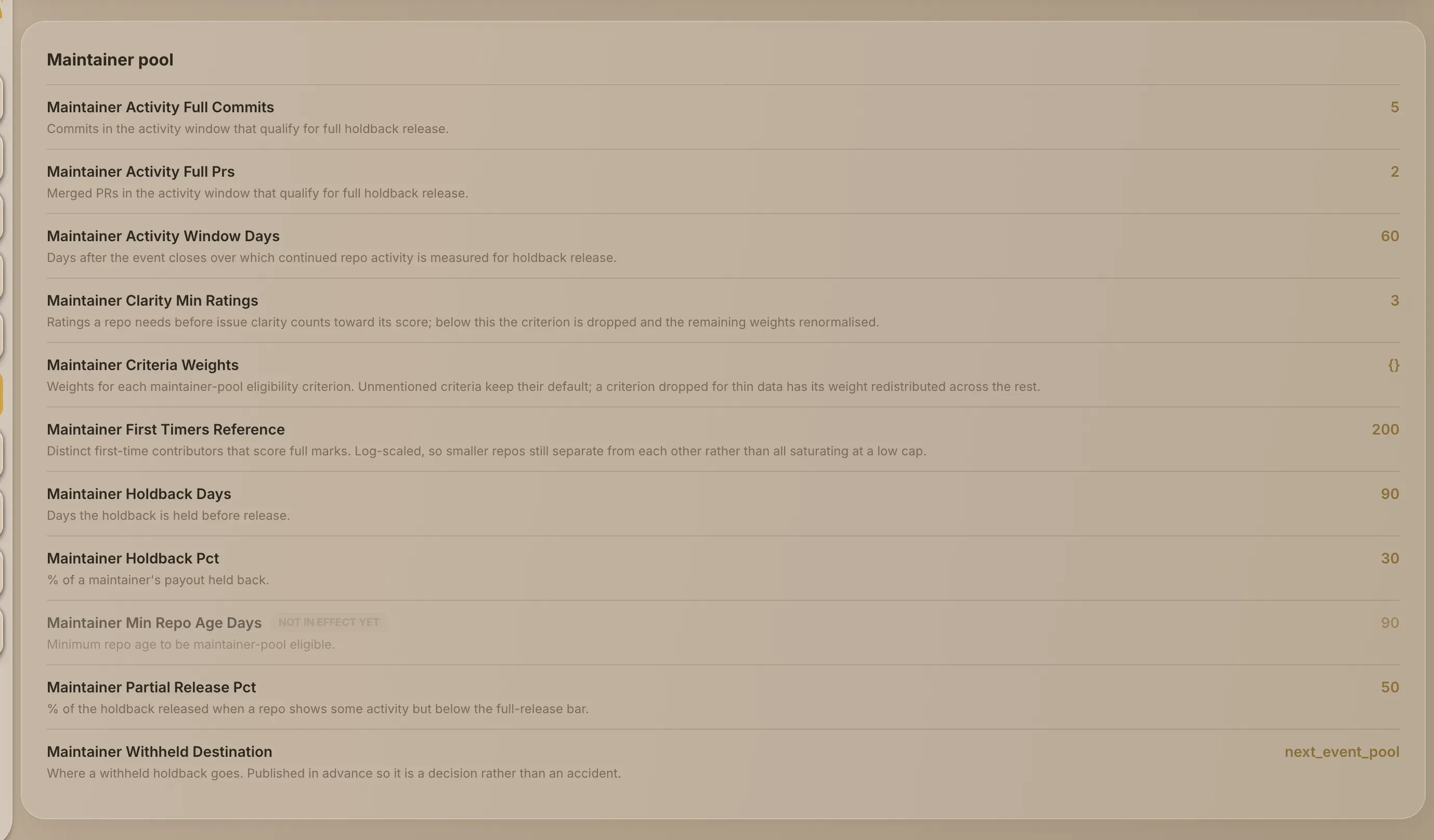
The settings mentioned below, such as the label's name and the limits, are listed in My GrainHack → Rules. That page shows the platform defaults, which an event uses unless it overrides them.
Put an issue into the event
-
Add the event's label on GitHub. The label's name is under Issue intake on the Rules page, as Grainhack Label. Grainlify picks the issue up once GitHub tells it about the label.
-
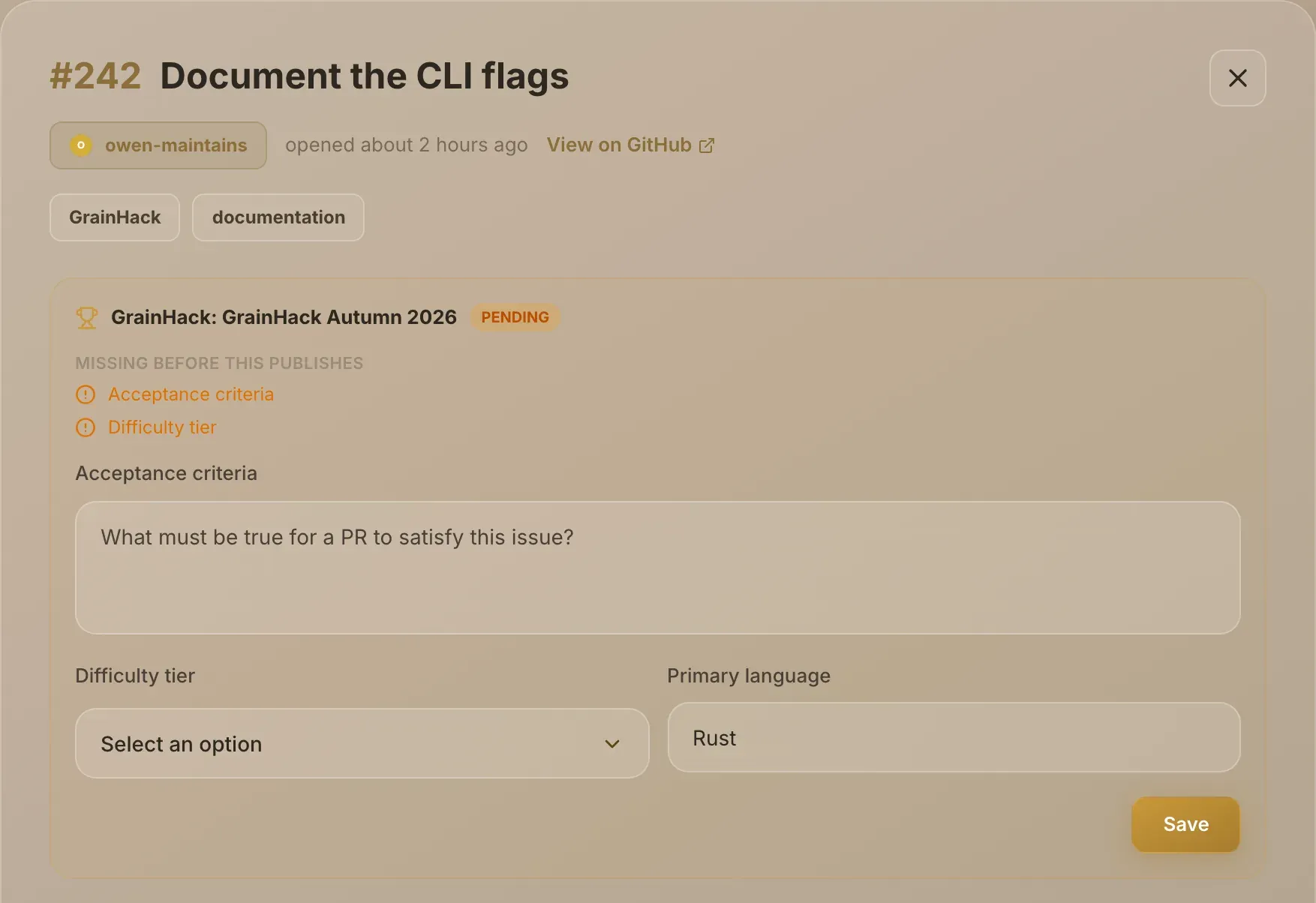
Open the issue in Grainlify. In Maintainers, choose Issues and select the issue. A panel headed GrainHack: and the event's name appears above the tabs, marked pending, with what's still needed under Missing before this publishes.
-
Write the acceptance criteria. Under Acceptance criteria, answer "What must be true for a PR to satisfy this issue?" This is what the submitted work is checked against, so be specific.
-
Choose a difficulty tier. Under Difficulty tier, choose Easy, Standard or Advanced. The draw takes the tier into account when it weighs applicants, and an event can hold back a share of issues at each tier for newcomers.
-
Check the language. Primary language is filled in from your repository. Change it if this issue needs a different one.
-
Choose Save. Once both required fields are filled, the panel says Ready - save to publish, and saving publishes the issue: Grainlify says Saved - issue is now published to GrainHack. and the panel is marked published.
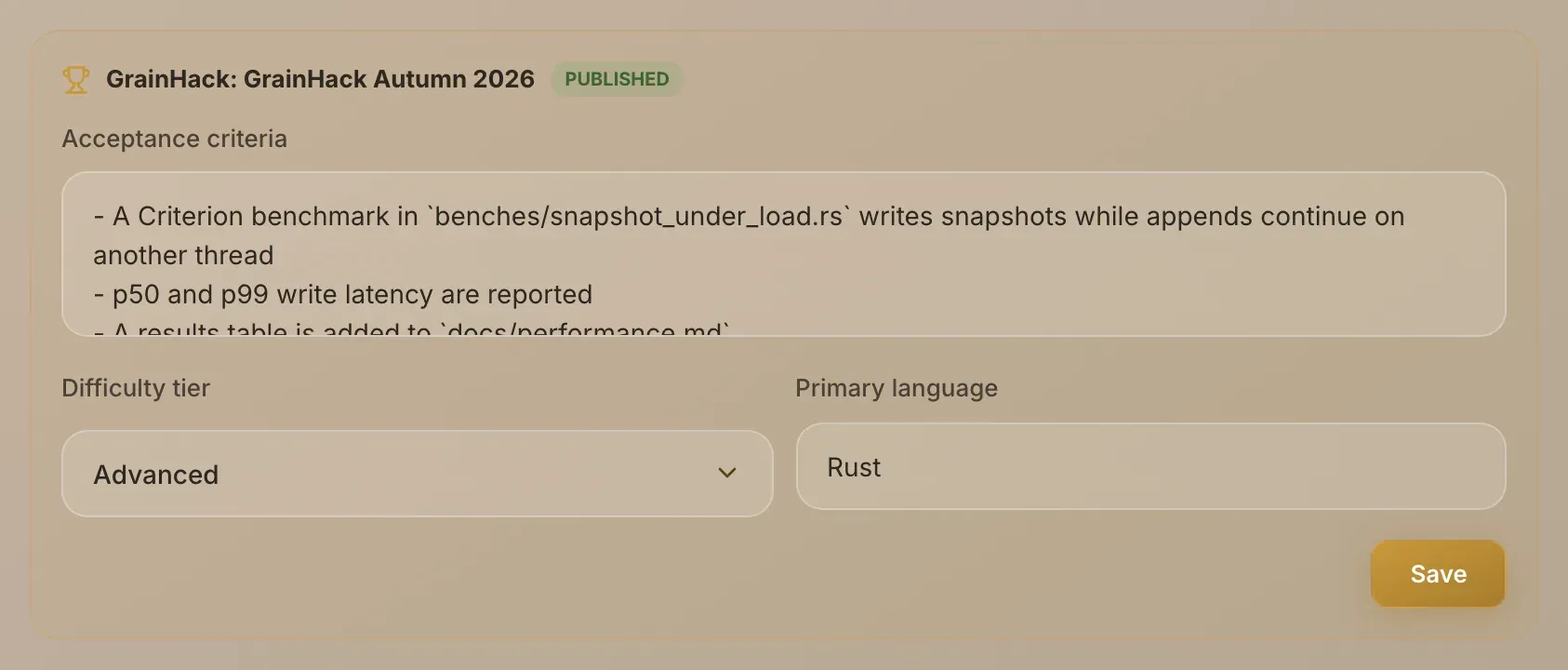
Until an issue is published, nobody can apply for it.
Limits on entering issues
- A cap per organisation. Each event takes a limited number of issues from one organisation. Past the cap, Grainlify comments on the issue to say it wasn't entered, and sends you a GrainHack issue cap reached notification.
- Late entry. Whether labels still work once the event is live, and until how close to the end, are event settings.
- Removing the label. If nobody is assigned yet, the issue leaves the event. If someone is, it stays in and is flagged for Grainlify's admins to look at.
You don't pick who works on it
Contributors apply for GrainHack issues on Grainlify during an application window, and a weighted draw picks one of them. Nothing on your side can choose or change the winner.
Don't assign GrainHack issues yourself on GitHub. Grainlify can remove an assignee added that way and comment on the issue to explain why, and it records the assignment either way.
You control what goes in, how clearly it's written, and how quickly you review what comes back.
How the maintainer pool is scored
Your repository's share of the maintainer pool comes from four measures:
- New contributors. How many people made their first contribution to your repository during the event.
- Review speed. How quickly pull requests got a first review.
- An established repository. Whether it had commits before the event was announced.
- Clear issues. Contributors' ratings of how clear your issues were.
How much each measure counts is set for the event. When a measure has too little data to mean anything, for example too few clarity ratings, it's left out and its weight is shared across the rest, rather than counted as zero.
The number of issues you open, the pull requests you merge and your repository's stars don't count, because anyone could inflate them.
Part of a maintainer's share is held back after the event and released later, depending on whether the repository stays active. The share, the waiting period and the activity needed are listed under Maintainer pool on the Rules page.