Ecosystems
An ecosystem is a community that projects belong to, such as a foundation, a chain or an umbrella organisation. The Ecosystems page lists them and gathers each one's projects in one place. Use it when you care about a particular community and want to see everything it has on Grainlify.
Every listed project belongs to one ecosystem, chosen by its maintainer during setup. The Grainlify team maintains the list of ecosystems.
Find an ecosystem
-
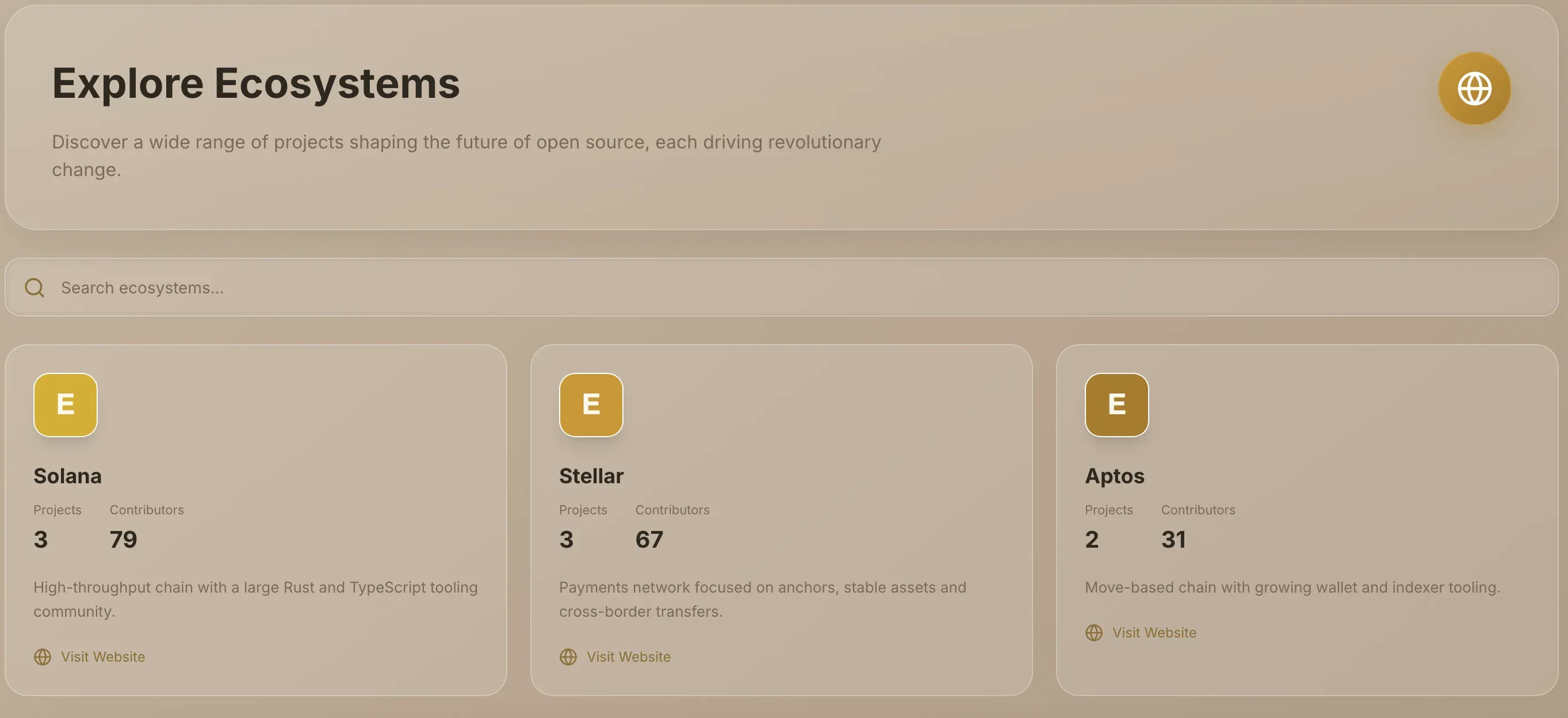
Open Ecosystems. Choose Ecosystems in the rail. The page is headed Explore Ecosystems.
-
Search, if the list is long. Type in Search ecosystems.... It matches an ecosystem's name or description as you type.
-
Choose a card. Each card shows the ecosystem's logo, name and description. Where the ecosystem has a website, Visit Website opens it in a new tab without leaving the list.
If your search matches nothing, the page says No ecosystems found matching your search. Clear the box to see them all again.
Read an ecosystem's page
The left column shows the ecosystem's name, its Description and its Links. The main area has two tabs you'll use: Overview and Projects.
Overview
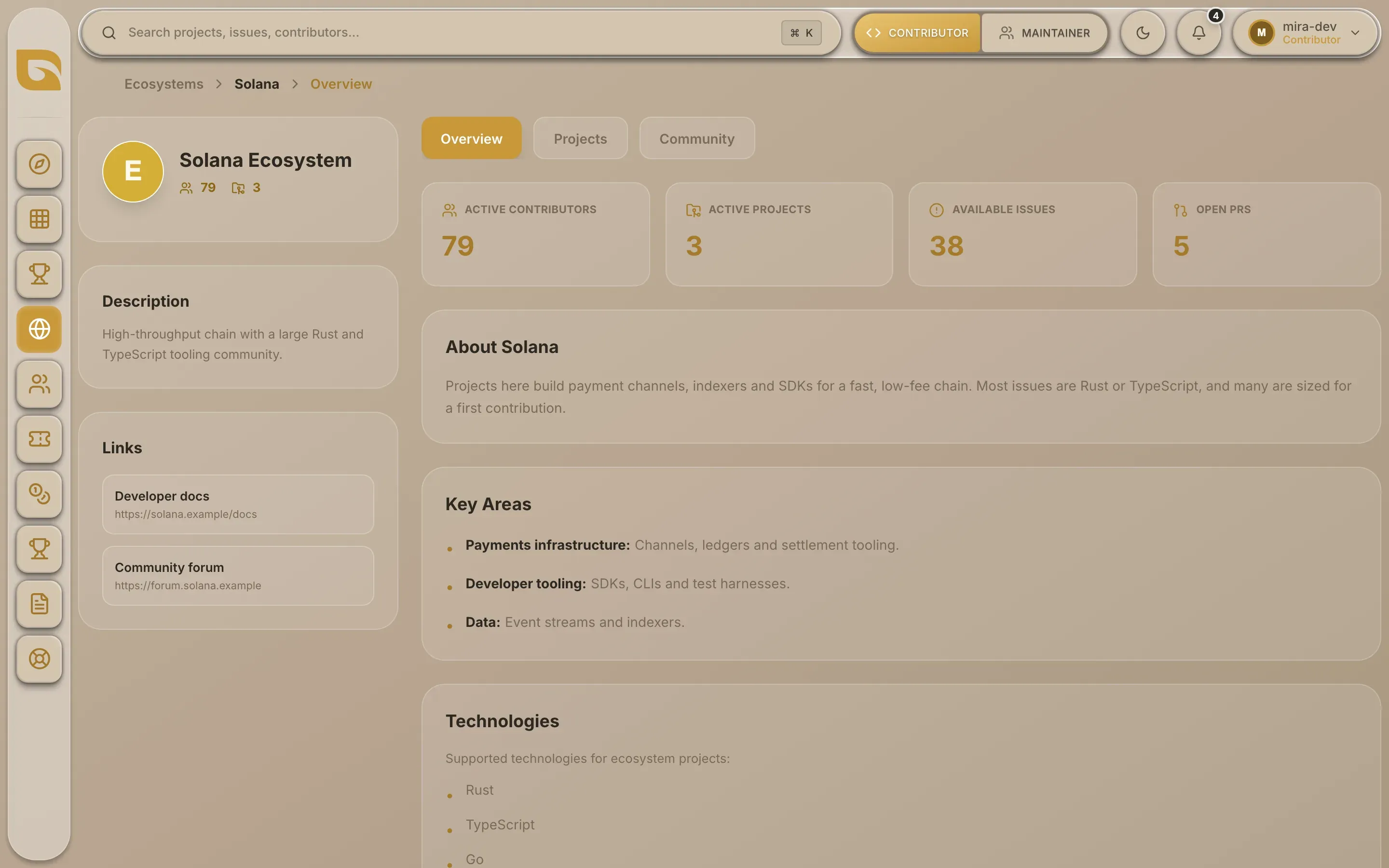
| Count | What it counts |
|---|---|
| Active Contributors | People who have opened an issue or a pull request on the ecosystem's listed projects |
| Active Projects | Projects listed on Grainlify in this ecosystem |
| Available Issues | Open issues across those projects |
| Open PRs | Open pull requests across those projects |
Below the counts, an About section, Key Areas and Technologies describe the ecosystem, where the Grainlify team has filled them in.
Projects
The Projects tab shows the ecosystem's listed projects as cards, each with its stars, forks, contributors, open issues and open pull requests.
-
Narrow the list. Type in Search to match a project's name or description.
-
Open a project. Choose a card to open its project page. Back to Ecosystems brings you back.
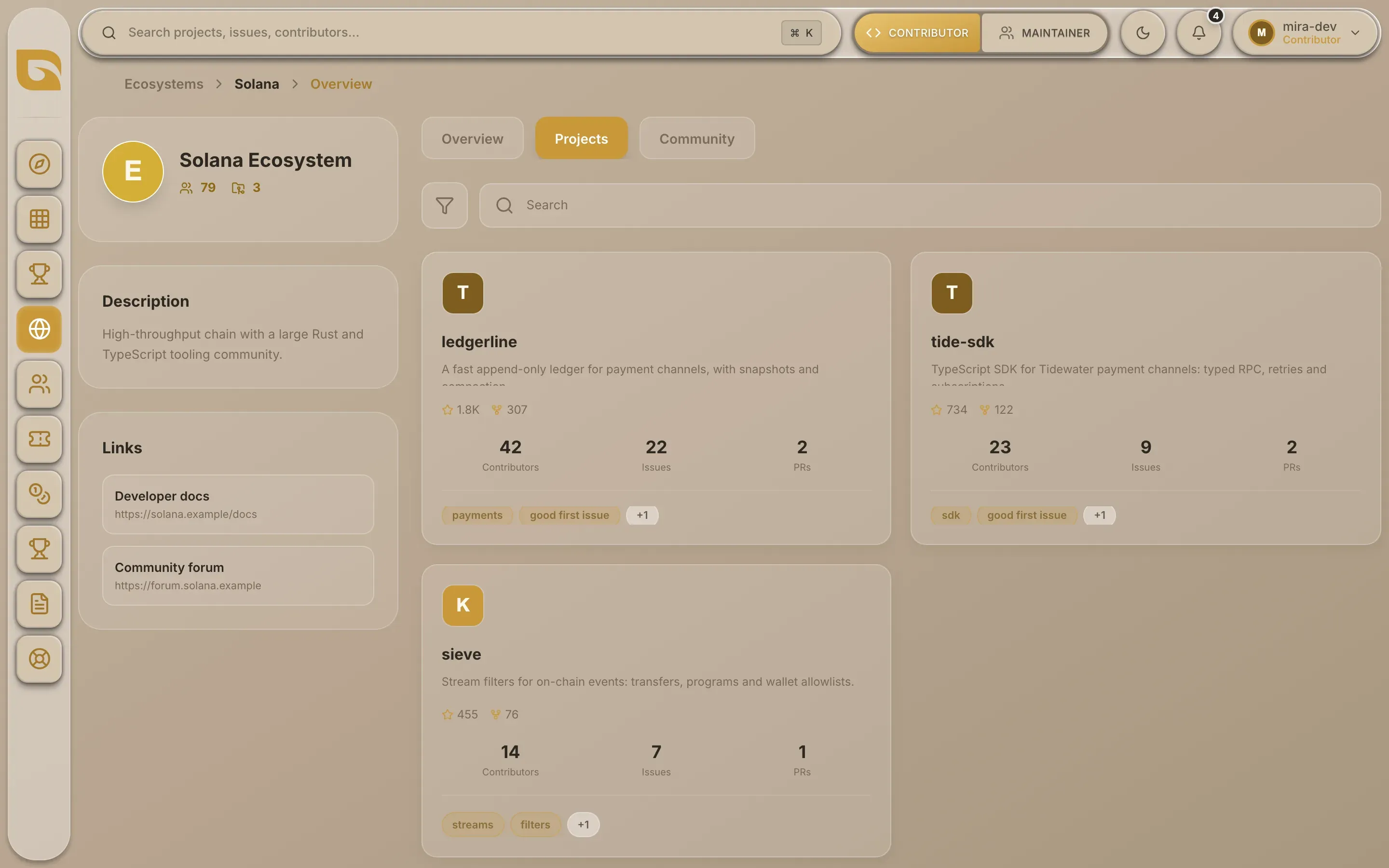
If the ecosystem has no listed projects yet, the tab says so.
To go back to the full list, choose Ecosystems in the path at the top of the page.
Filter by ecosystem in Browse
You can also pick an ecosystem as a filter in Browse and combine it with a language, category or tag. That's quicker when you want, say, Rust projects in one ecosystem.