Social follow
Following Grainlify on LinkedIn and X is required to be eligible for the Founding Contributor Pool. It earns no shares by itself: it's a requirement, not a payment. You send a screenshot for each platform, both together, and a person reviews them.
Submit your proof
-
Open the Rewards tab. Open the menu under your picture, top right, choose Settings, then Rewards. The Social Follow card is below your pool position.
-
Follow Grainlify on both platforms. Choose Follow next to LinkedIn, and next to X. Each opens Grainlify's page in a new tab.
-
Take a screenshot of each. It should show the Grainlify account and that your account follows it, such as a "Following" button while you're signed in.
-
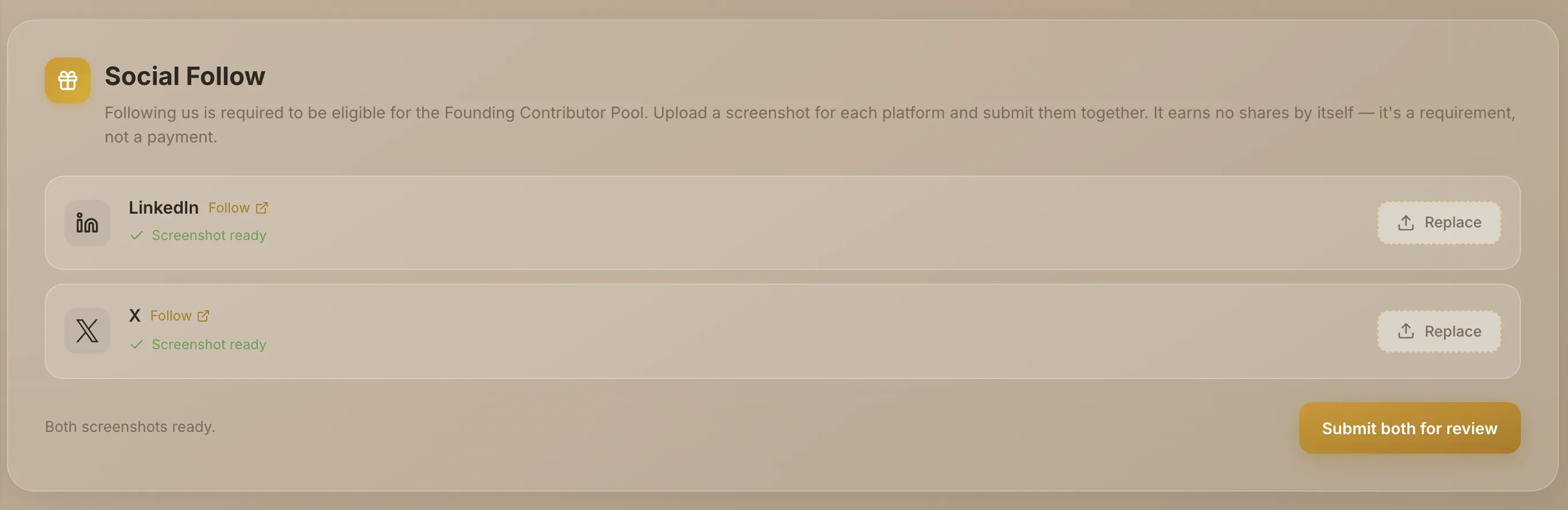
Choose both screenshots. Choose Choose screenshot on each row. Use a PNG, JPG, GIF or WEBP image under 5MB. The row then says Screenshot ready, and Replace swaps it.
-
Choose Submit both for review. The button only works once both rows have a screenshot. You'll see Both screenshots submitted for review.
There's no way to submit one platform on its own. Both screenshots are approved or rejected together, as one decision.
What the status means
After you submit, a badge on the card shows where your proof stands.
| Badge | What it means | What to do |
|---|---|---|
| Pending review | Waiting for a person to review it. | Nothing. If you need to, you can replace it by submitting two new screenshots. |
| Eligible | Approved. You meet the follow requirement. | Nothing. The upload form is hidden. |
| Not approved | Rejected. The reason is shown under the badge. | Fix what the reason says, choose two new screenshots and submit again. There's no limit on attempts. |
| Eligibility withdrawn | An earlier approval was withdrawn. The reason is shown. | Follow again and submit new screenshots to become eligible again. |


You also get a notification for each decision: Social follow approved, Social follow proof needs another look, or Social follow eligibility withdrawn.
At most 300 follow proofs can be approved at any one time. If that many are already approved, a new submission can't be approved and stays as it is.
Approval can be withdrawn
An approval isn't permanent. If it's withdrawn, the card says so and shows why.

Pool eligibility is checked when the pool is shared out. What's checked is that your approval hasn't been withdrawn. LinkedIn and X don't offer a way to confirm a follow automatically, so it isn't a live check that you still follow on the day.
A good screenshot
Make sure each one clearly shows:
- The Grainlify account you're following.
- That your own account is the one following it, for example a visible "Following" button.
If you hold a place in the pool without an approved proof, your position card says You're not currently eligible to receive a share. Your place and multiplier aren't affected. Getting your proof approved fixes it.