Apply for a GrainHack issue
You apply for a GrainHack issue from the panel on the issue itself. Applying is free and doesn't use one of your slots: only winning does. When the issue's window closes, a weighted draw picks who is assigned, so there's no advantage in applying first.
Apply
-
Open the issue. Choose GrainHack in the rail, choose the event, then choose View issue on the issue you want.
-
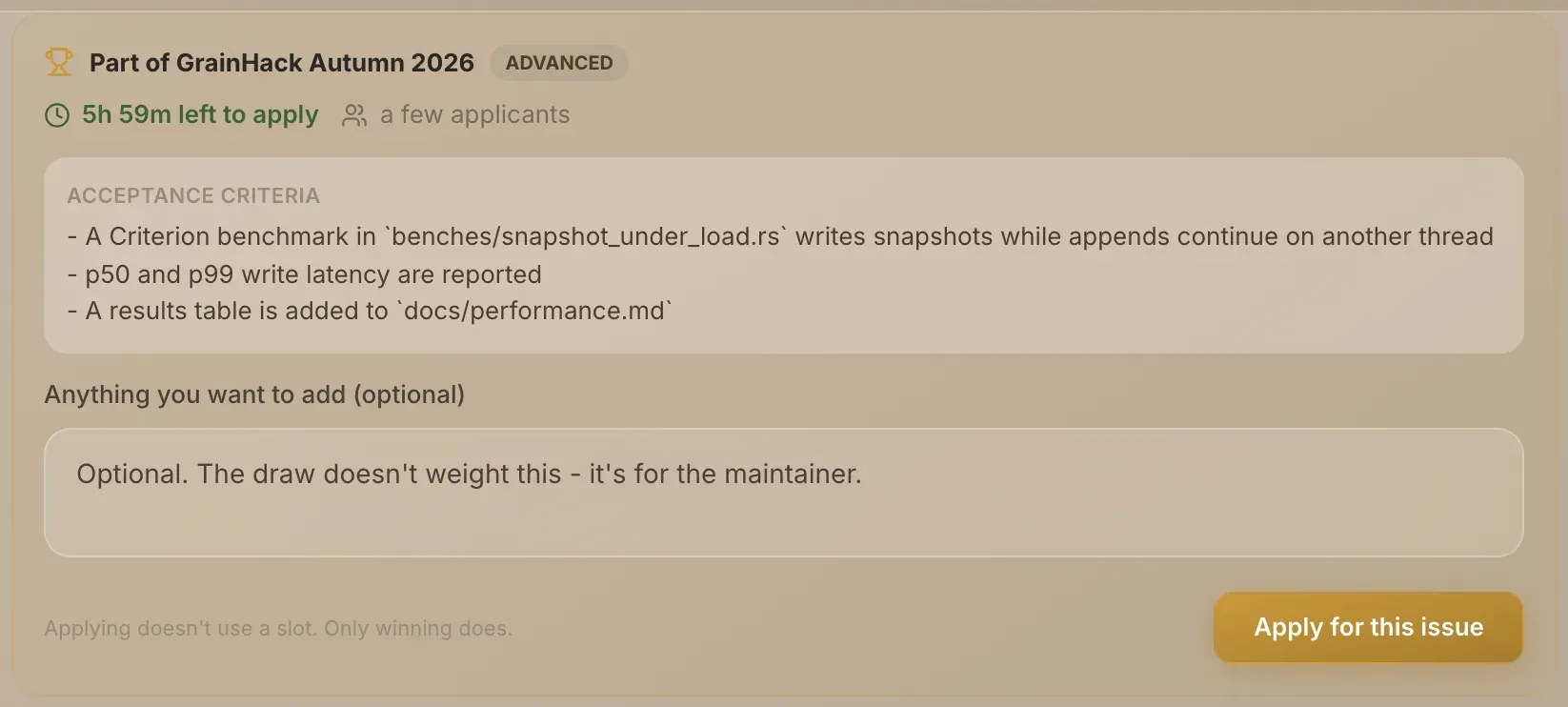
Read the GrainHack panel. At the top of the issue, the panel shows:
- Part of and the event's name, with the issue's difficulty.
- How long is left to apply, for example "5h 20m left to apply".
- Roughly how many people have applied: "no applicants yet", "a few applicants" or "many applicants". The exact number is withheld while the window is open, so applying late isn't an advantage.
- Newcomers only, if the issue is reserved for contributors who haven't completed a GrainHack issue yet.
- Acceptance criteria: what the work must do to be accepted. Your pull request is graded against these.
-
Add a note if you like. Anything you want to add (optional) is for the maintainer. The draw doesn't weight it.
-
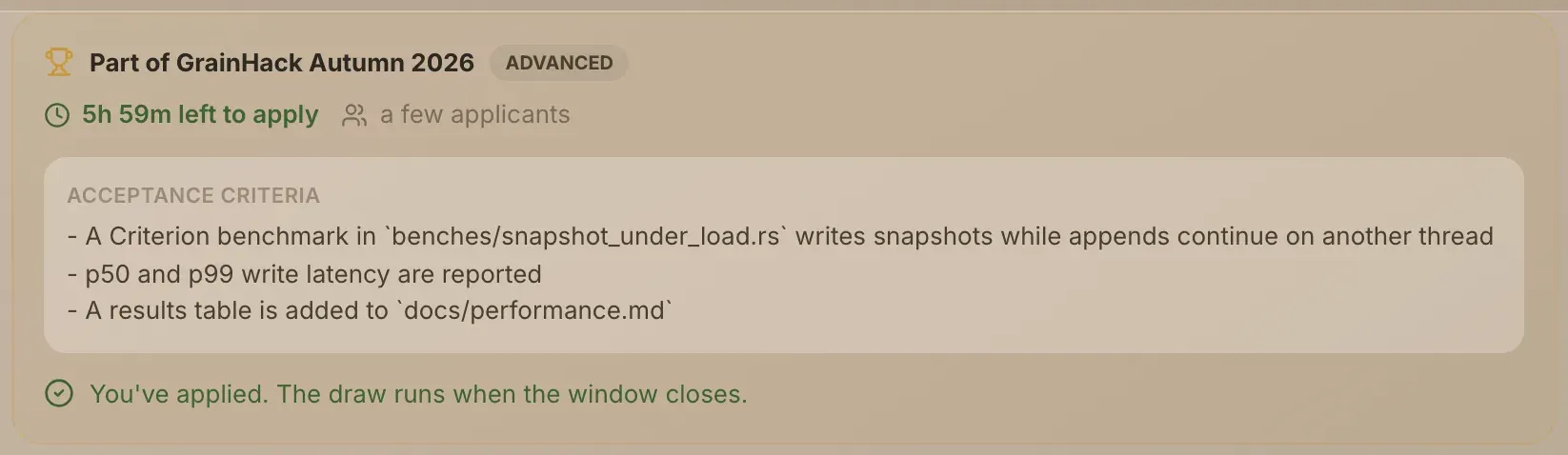
Choose Apply for this issue. The panel changes to "You've applied. The draw runs when the window closes."
If a check stops you, the panel says You can't be assigned this issue and gives the reason. Who can take part lists them all.
A GrainHack issue has no ordinary application form. Below the panel the issue says "This issue is part of a GrainHack event. Apply using the panel above". Only the panel enters you in the draw.
If the window hasn't opened, the panel says "This issue isn't accepting applications yet." Once it has closed: "Applications have closed for this issue."
Follow your applications
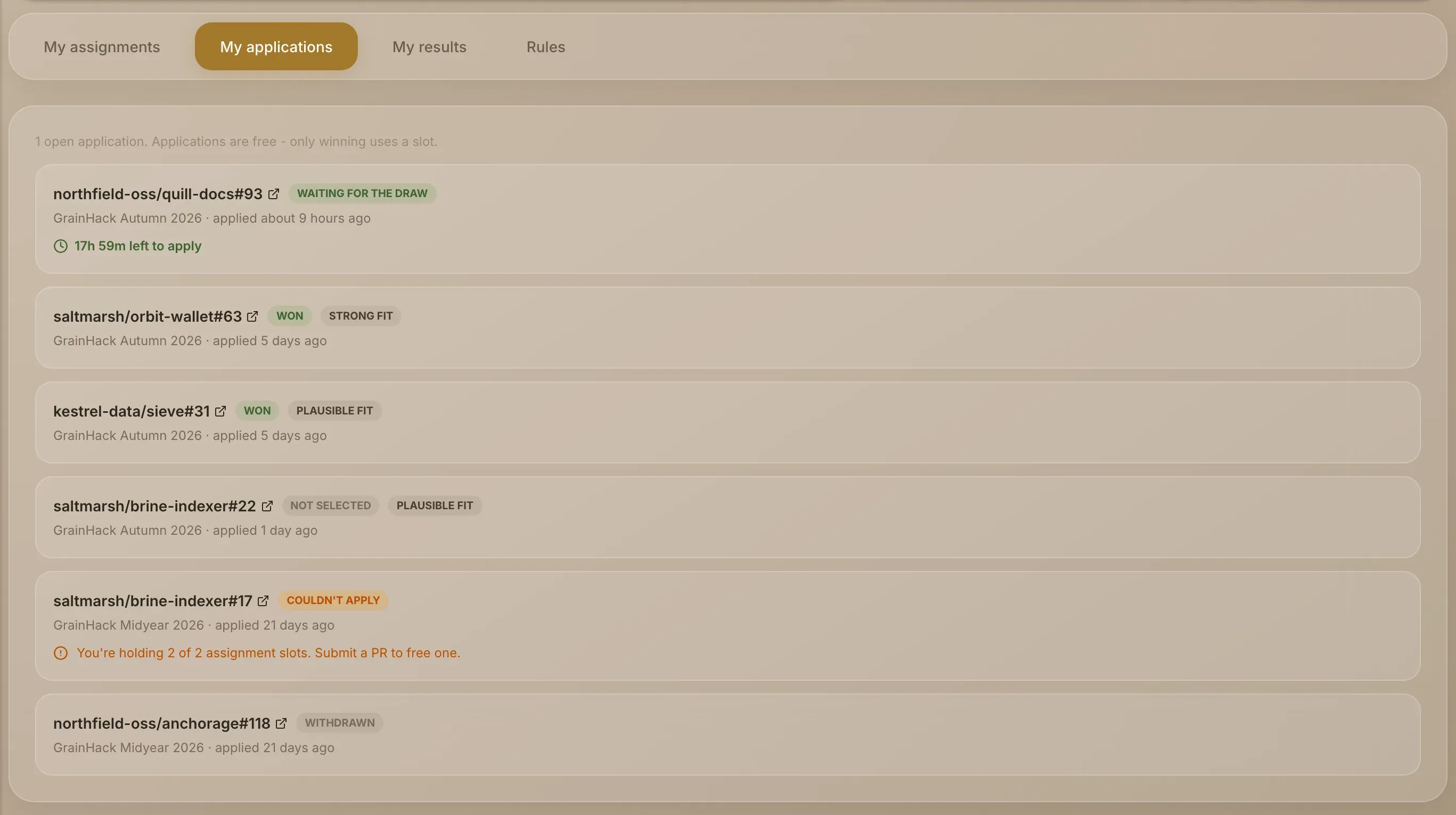
Open My GrainHack in the rail and choose My applications.
| Status | What it means |
|---|---|
| Waiting for the draw | You're in. The row shows how long the window has left. |
| Won | You were drawn. The issue is now in My assignments. |
| Not selected | The draw picked someone else. |
| Couldn't apply | A check stopped you. The row gives the reason. |
If the fit assessment is switched on for the event, a row can also show a fit label such as "plausible fit". It's one input to the draw, not a decision, and "plausible" is the expected result for most newcomers.
The number of applications you can have waiting for a draw at once is capped, so apply for issues you actually want. The cap is Max Concurrent Applications in My GrainHack → Rules.
When you win, Grainlify sends you a notification. Next: Your assignment.