Your public profile
Your profile page is your public record on Grainlify. Anyone signed in to Grainlify can open it, whether they're a maintainer deciding who to assign an issue to or another contributor looking at the leaderboard. This page lists what it shows.
Open a profile
- Your own: open the menu under your picture, top right, and choose Public Profile.
- Someone else's: choose their name on the leaderboard, for example. Their profile opens with a Back to Leaderboard button.
What other people see
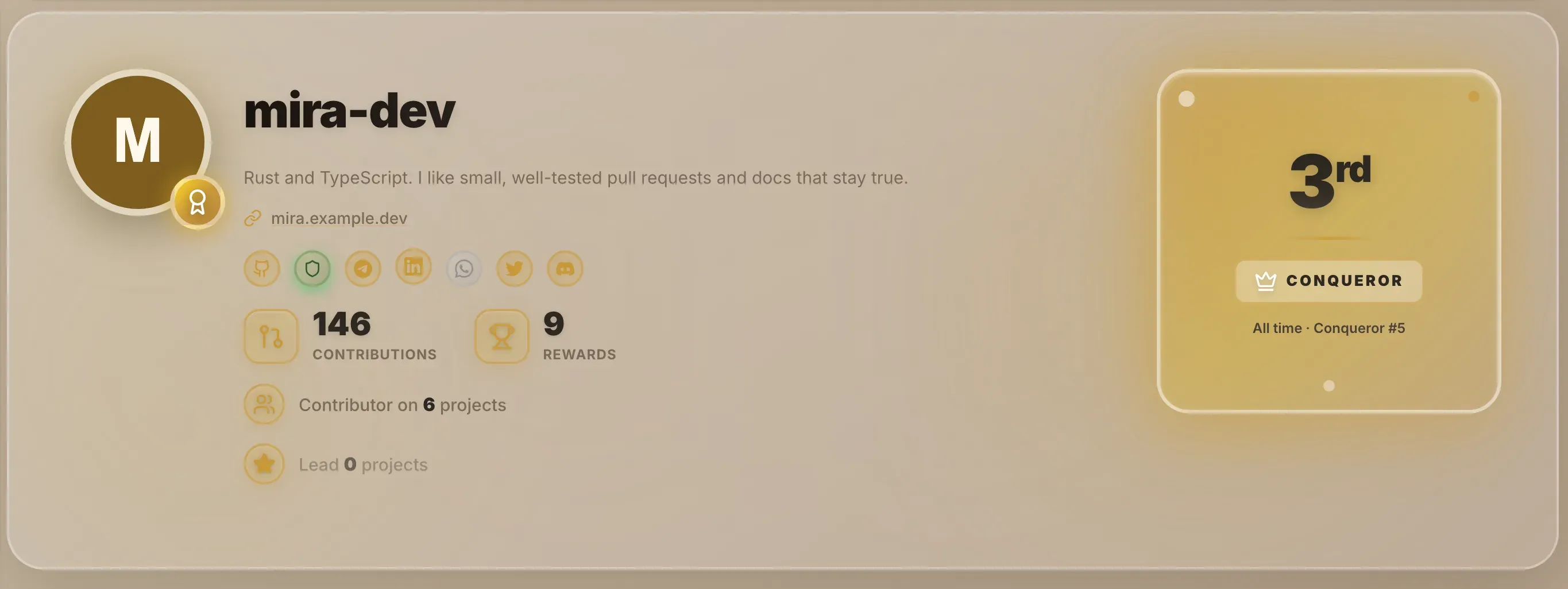
At the top
- Your GitHub username and picture.
- Your bio and website, if you've added them.
- An icon for GitHub, and one for each contact handle you've added in Settings: Telegram, LinkedIn, WhatsApp, Twitter and Discord. Handles you haven't added show as dimmed icons.
- A shield that's highlighted when your identity is verified.
- Your Contributions count.
- Contributor on a number of projects, and Lead a number of projects. Choose either to list the projects.
- Your rank card: your position and tier this season, with your all-time tier and position beneath. See Ranks and the leaderboard.
Further down
- The projects you lead or contribute to most.
- Most active languages and Most active ecosystems.
- A calendar of your contributions over the last year, headed with how many there were.
- Contributions Activity: your issues and pull requests grouped by month, with a search box.
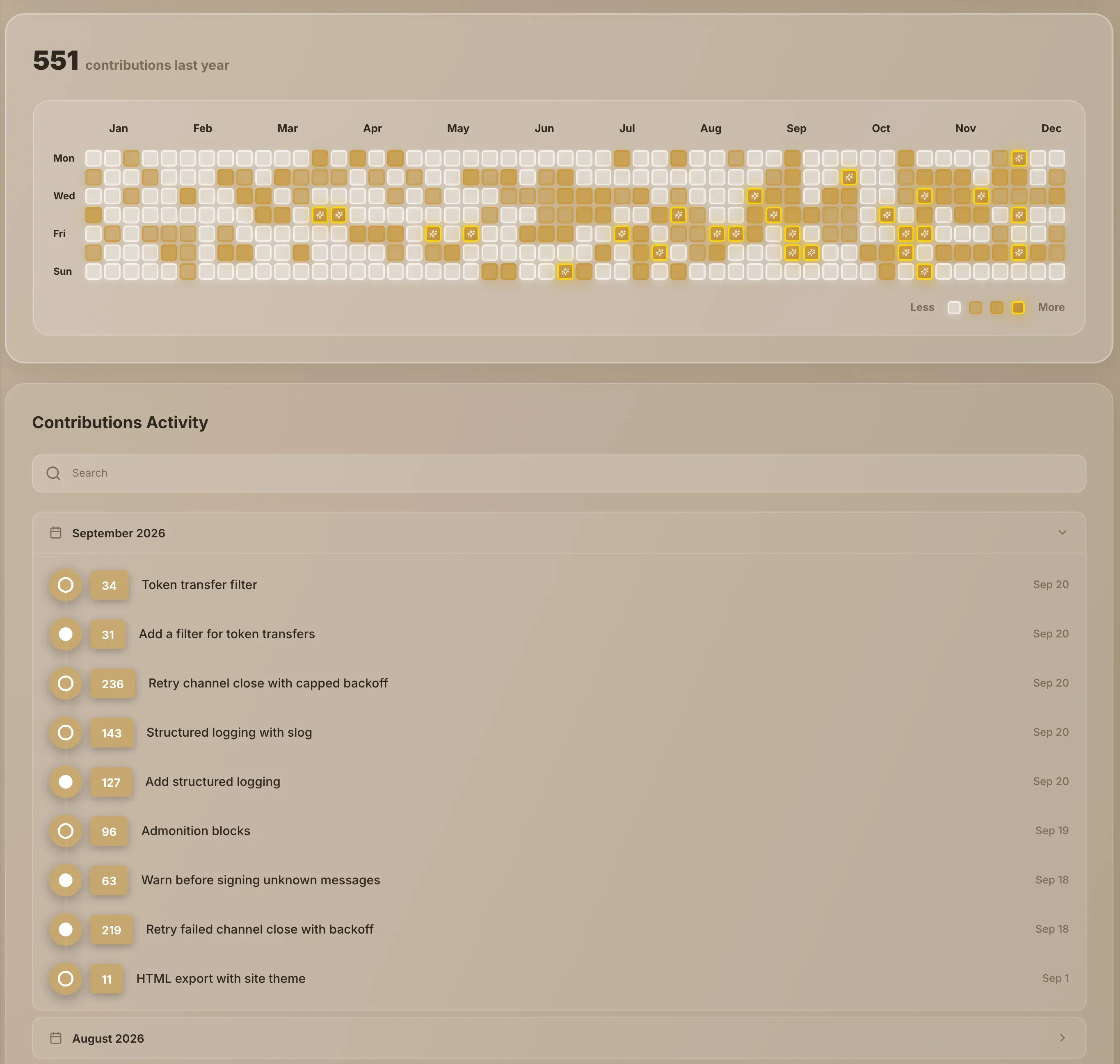
The counts, the calendar and the activity list come from your work on projects listed on Grainlify, read from GitHub, so there's nothing to report by hand.
What isn't shown
The first name, last name and location you can enter in Settings → Profile aren't shown on your profile page. Neither is your email address, your payout address or your linked wallet.
Change what's shown
Your bio, website, picture and contact handles are edited in Settings → Profile. Your username comes from GitHub. See Edit your profile.