Review applications
Contributors apply for your issues on Grainlify, and you decide who does the work. You review applications in the Issues tab of Maintainers, then assign one person or turn applicants down. Grainlify makes the change on GitHub for you.
Who sees the controls
Assign, Reject and Unassign show only when both are true:
- You're in the maintainer view: MAINTAINER is selected in the header.
- You own the project on Grainlify (you added it), or you're a Grainlify admin.
Anyone else sees the applications without the buttons. You get a notification each time someone applies.
Find the issues waiting for you
-
Open Issues. In Maintainers, choose the Issues tab. It lists the open issues in the repositories ticked in Select repositories, most recently updated first. Each shows how many applicants it has.
-
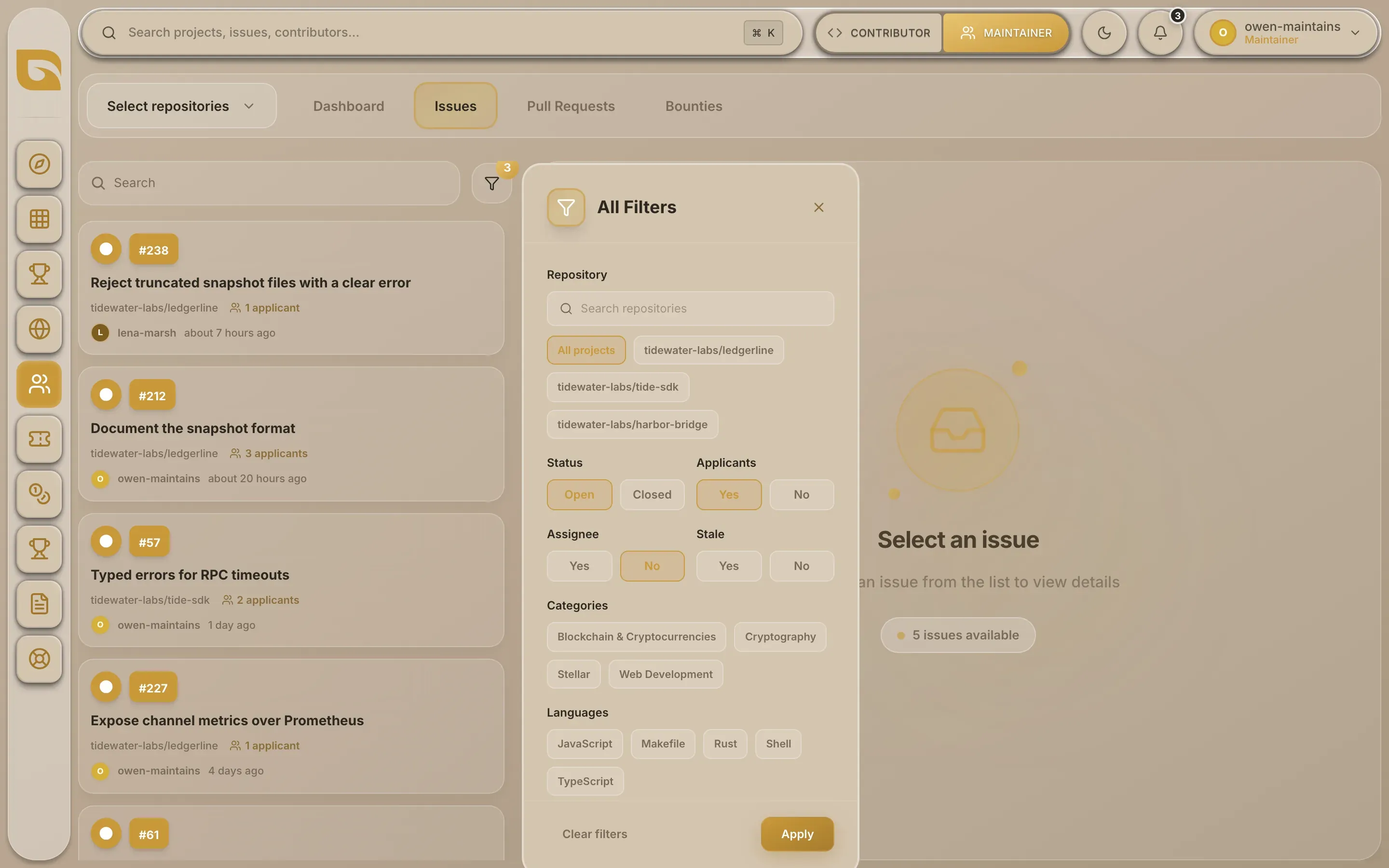
Narrow the list. Type in Search to match a title or author, or open the filter next to it. Under All Filters, set Applicants to Yes to see only issues with applications, and Assignee to No to hide ones you've already given out. Stale picks out issues with no update for 30 days. Choose Apply.
-
Open an issue. Choose it in the list. The right side shows the issue, with View on GitHub, and two tabs: Applications and Discussions.
For each repository, the list covers its 50 most recently updated issues.
Read an application
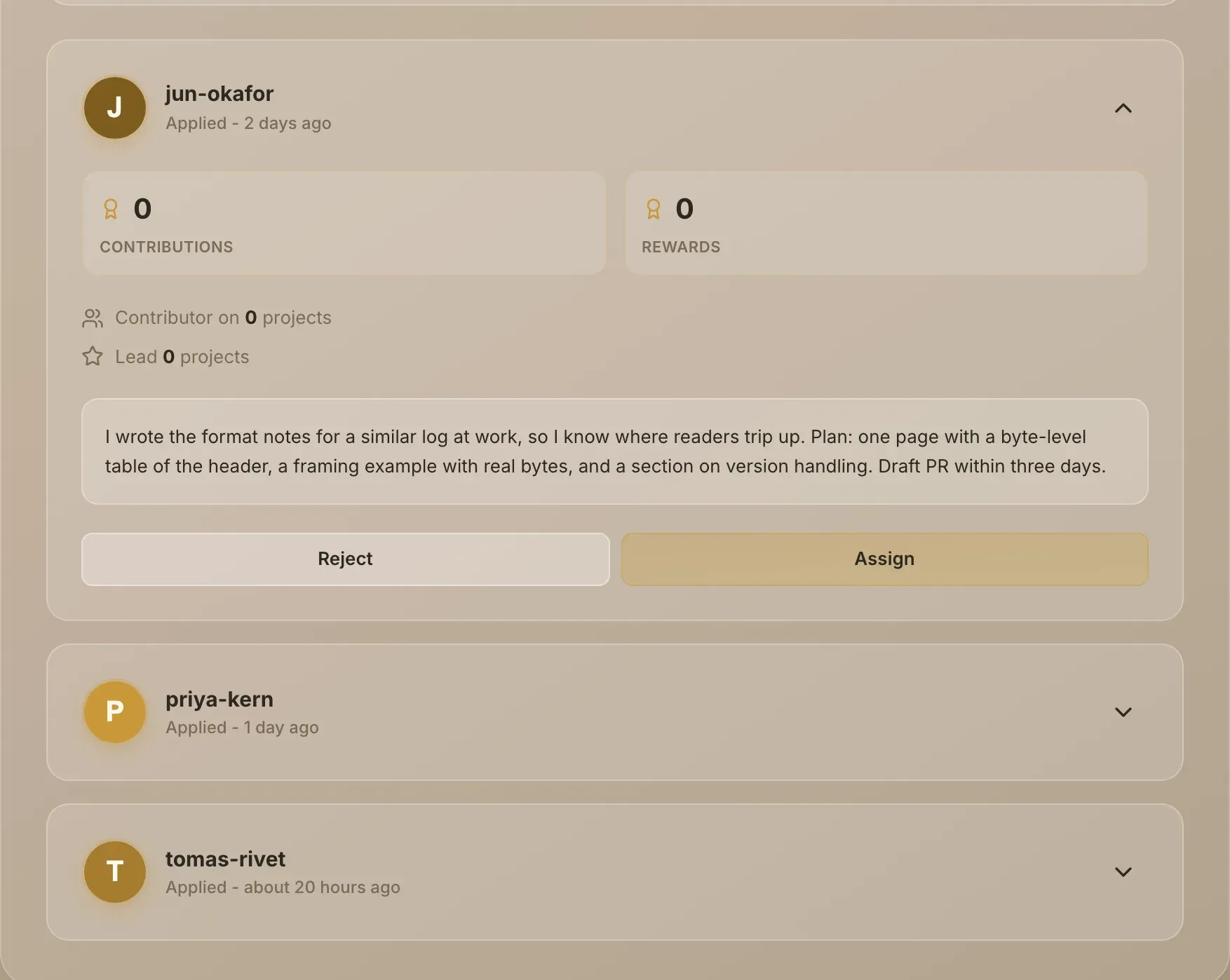
The Applications tab lists everyone who applied, with how long ago. Choose the arrow beside a name to expand the application and read their message. Choose the name to open their Grainlify profile and see their work so far.
Discussions shows the issue description and every comment from GitHub, with applications marked Applied for this contribution.
Assign someone
Expand their application and choose Assign. Grainlify:
- assigns them to the issue on GitHub;
- posts a comment on the issue congratulating them and asking them to link their pull request to the issue;
- sends them a notification.
You can only assign someone who applied on Grainlify, and only one person at a time. Assign from here rather than on GitHub, so Grainlify records the assignment and tells the contributor.
Turn an applicant down
Choose Reject on their application. Grainlify posts a comment on the issue saying their application was not accepted, and sends them a notification saying the issue may still be open. Their application comment stays on GitHub.
Free the issue again
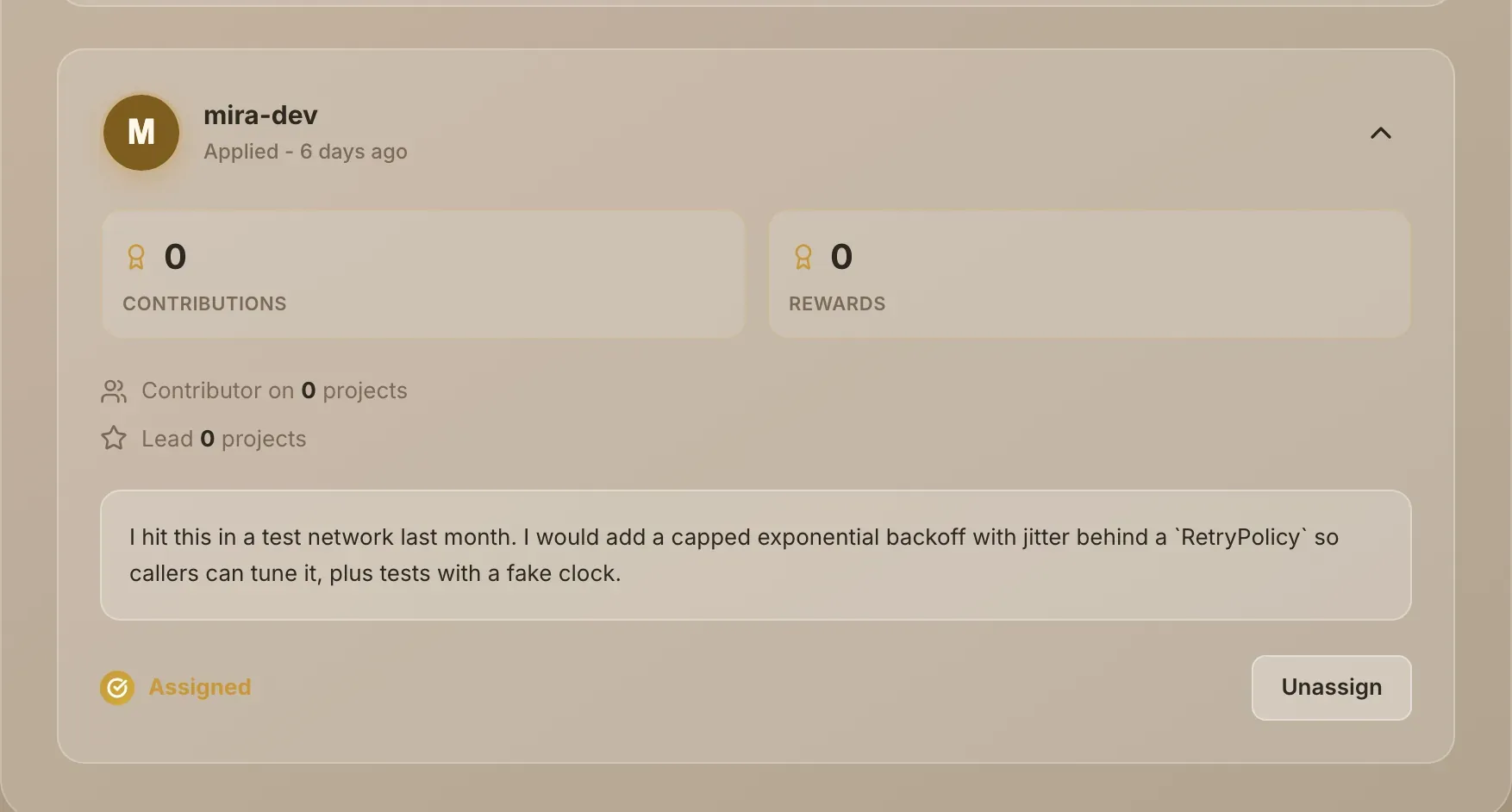
When the issue has an assignee, applications show Assigned. To take it back, expand the first application in the list and choose Unassign. Grainlify removes the assignee on GitHub and posts a comment saying they've been unassigned. You can then assign someone else.
"This project's GitHub connection is broken." Grainlify can't act on GitHub for this repository any more. Reinstall the Grainlify GitHub App: see Keep projects in sync.
GrainHack issues work differently: a draw picks who works on them, not you. See GrainHack for maintainers.